Overview

insightsoftware grew through acquisition into a portfolio of more than 17 enterprise applications across reporting, accounting, and data & analytics. Each product had been built by a different company, on a different stack, with its own navigation conventions, terminology, and visual language. Customers who licensed multiple products had to re-learn the platform every time they switched applications.

I led the design of a unified global experience that gave the entire portfolio a shared navigational language, a consistent way-finding model, and a governed set of cross-application UX contracts (without forcing every application team to rebuild their product from scratch). The system preserved each product’s functional identity while establishing the shell, orientation patterns, and interaction standards that made the portfolio feel like one platform.


My Role

UX Design Lead for the Global Experience Platform.

I owned the design of the application shell, primary and secondary navigation, the way-finding model, and the documented UX contracts that application teams built within. As lead, I personally owned 9 of the 17 applications end-to-end and coordinated with designers on the remaining 8 to ensure system-wide consistency.

I worked directly with executive product leadership to translate platform strategy into durable UX standards, partnered with each application’s PM lead through a structured adoption process, and stayed embedded with engineering through implementation, testing edge cases, non-ideal states, and role-specific scenarios.

The Problem

Three problems compounded across the portfolio:

Fragmentation. Each acquired product had its own header, navigation, account menu, and notification model. Users licensing multiple products were effectively learning multiple platforms.

No shared interaction contracts. Common patterns for onboarding, notifications, form validation, status indicators, search, filters were solved differently in every product. There was no governing layer.

No path to coherence at scale. New acquisitions kept arriving. Without a global framework, every new product would either be re-designed from scratch (expensive, slow) or shipped as-is (more fragmentation).

The system needed to do two things at once: prevent fragmentation, and preserve team autonomy. Application teams needed room to solve their own domain problems without re-litigating navigation, identity, or way-finding every time.

My Design Work

1. The Global Application Shell

A persistent shell that wrapped every application in the portfolio: header, primary navigation rail, secondary navigation, breadcrumbs, account menu, notifications, and help center. The shell was the same regardless of which product was loaded inside it.

This is what made the portfolio scannable. A user who knew where the account menu lived in one product knew where it lived in every product. The shell carried identity context, application context, and notification state across the entire portfolio.

2. The Application Switcher

A dedicated launcher surface (accessible from the persistent rail in every product) that served as a key way-finding utility. From the switcher, users could see which products they had access to, see at-a-glance status indicators (notifications, license state), and move between applications without losing session context.

The switcher was deliberately the only “global” surface that broke into individual application chrome. Everywhere else, the user stayed inside the shell of the product they had launched. This kept orientation predictable: there was always exactly one way to leave an application and one way to enter another.

3. Information Architecture & Way-Finding

I defined the IA standards every application had to honor:

  • Primary navigation — top-level sections of an application, anchored to the left rail with consistent iconography.
  • Secondary navigation — sub-sections, surfaced contextually based on the primary section selected.
  • Breadcrumbs — the user’s location-trail through deep hierarchies, with documented truncation rules.
  • Page headings — standardized layout and metadata zones so users could orient themselves on any screen in any product.
  • Workflow state surfaces — where, when, and how to expose task state, claim status, or pipeline progress.

These were not suggestions. They were contracts. Application teams had latitude inside their primary sections to solve their domain problems, but they could not redefine where navigation lived, how it behaved, or how state was surfaced to the user.

4. Cross-Application UX Contracts

I codified reusable patterns for the journeys that crossed application boundaries:

  • Onboarding — tooltip-driven first-run guidance with progress checklists, consistent across products.
  • Notifications — a coordinated architecture spanning toast notifications, the global notification menu, badges on the navigation rail, and email — so a user in one product would see the same notification model when they switched to another.
  • Form validation & states — defined defaults, hover, focused, filled, disabled, and error states across every input type, plus form layout and section conventions.
  • Identity & role context — how the avatar, account menu, role indicators, and permission states are surfaced consistently across applications.
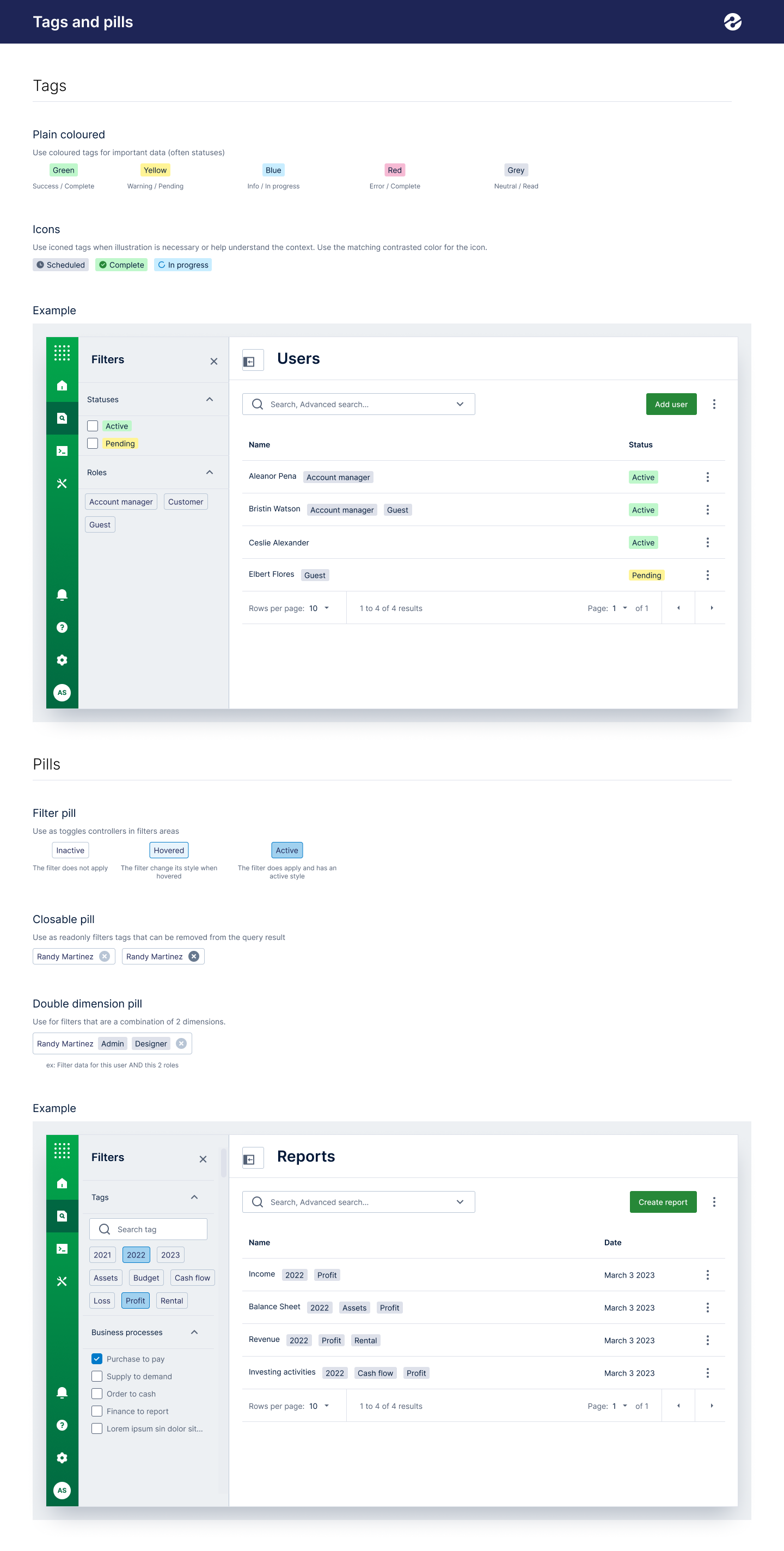
  • Status & state indicators — color-coded tags and pills (Active, Pending, In progress, Complete, Error) used identically in every data table, side panel, and detail view across the portfolio.

5. Workflow Context Presentation

Many of the applications were task-driven: users worked queues, processed records, and moved items through states. I designed the workflow context standards that surfaced state, progress, and ownership consistently:

  • Operational dashboards that surfaced workflow metrics at a glance.
  • Status indicators embedded in data grids — so claim, demand, or task state was readable without drilling in.
  • Side-panel detail views with tabbed Overview / Files / Activity log structure used across products.
  • Coordinated in-app and email notification patterns so users always knew what required attention and what had changed, regardless of which application they were currently working in.

6. The Foundation Layer

Underneath the platform-level work, I owned the foundational decisions every application inherited:

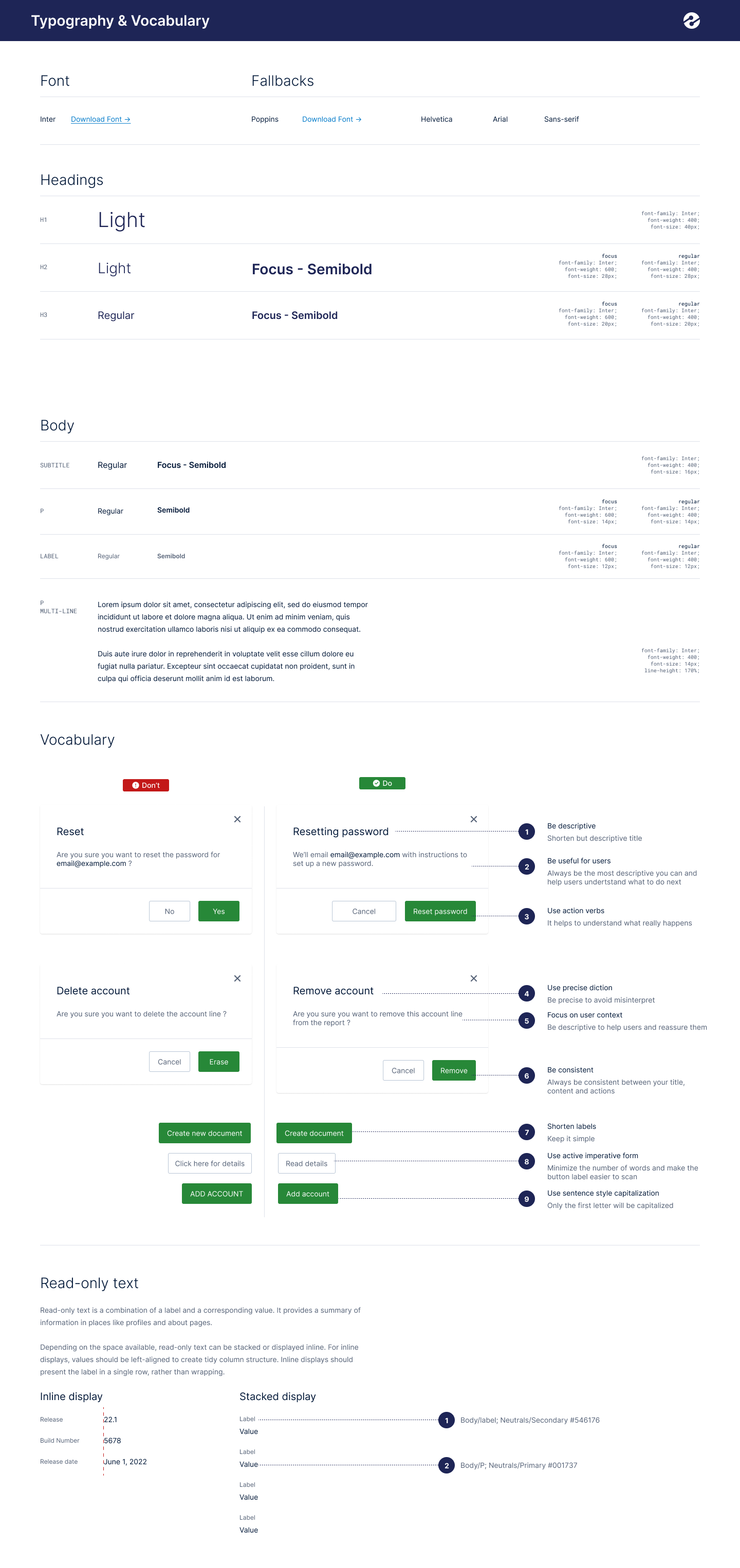
  • Typography & vocabulary — Inter as the primary face, with a documented type scale, plus a “vocabulary” guide defining the voice of the platform (descriptive titles, action verbs, sentence-style capitalization, precise diction over vague labels).
  • Color system — brand, primary, secondary, neutral, and utility palettes with documented WCAG AA contrast pairings for every combination (do/don’t reference matrix).
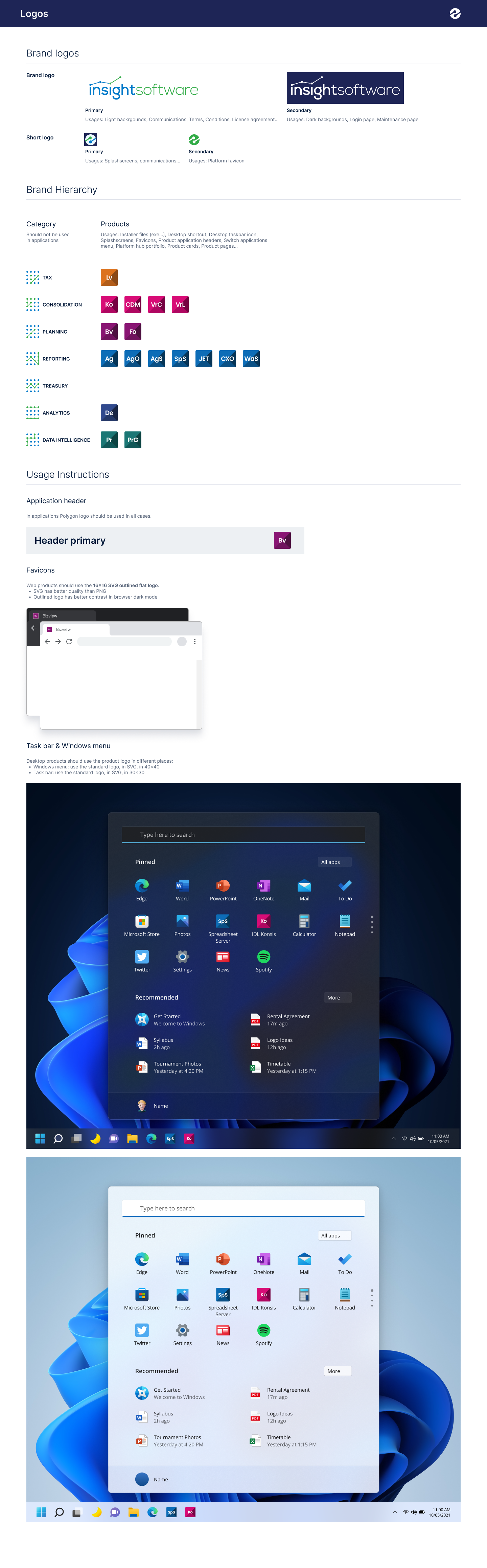
  • Logos & brand hierarchy — how product logos relate to the parent brand, including favicon, taskbar, splash screen, and header treatments.
  • Layout & grid — responsive breakpoints from tablet through 1920×1080 and beyond, with documented templates for messaging, page-with-tiles, and Excel-secondary-navigation layouts.
  • Shadows, loaders, modals, side panels, accordions, cards, tooltips, avatars, tags, controls, text fields, menus, buttons, data tables, data grids, icons — full component inventory, every state documented.

Adoption Process

The system was only valuable if application teams adopted it. I built a structured, repeatable adoption process:

  1. Audit. Partner with the application’s PM lead to inventory existing IA, navigation, and core workflows.
  2. Map. Identify which user journeys mapped cleanly to global patterns and which would need product-specific accommodation.
  3. Prototype. Design updated navigation patterns against the structural standards, including non-ideal states and role-specific scenarios.
  4. Scope & prioritize. Hand engineering a clear, sequenced backlog tied to release planning.
  5. Implement. Stay embedded through development, reviewing builds against spec and resolving edge cases.
  6. Validate. Test against role-based access scenarios, multi-tenant data, and the full state matrix.

The structured process was the reason adoption worked. Application teams were not asked to absorb a 200-page guideline document and figure it out. They were given a partner, a sequence, and a clear definition of done. Resistance dropped because the process respected their roadmap and their domain expertise.

Outcomes

  • Adopted across all 17 enterprise applications spanning three business units (reporting, accounting, data & analytics).
  • 9 applications owned end-to-end by me as design lead; 8 coordinated with partner designers under the same standards.
  • 28+ documented component and pattern categories shipped in a single source-of-truth Figma library paired with engineering-ready specs.
  • WCAG AA accessibility baseline with documented contrast pairings for every neutral, brand, and utility color.
  • Reduced design drift across a large, distributed product organization through governance documentation that codified interaction contracts at the pattern level.
  • Established a repeatable adoption framework that subsequent acquisitions and new product teams onboarded against without bespoke design re-litigation.