Project Directive
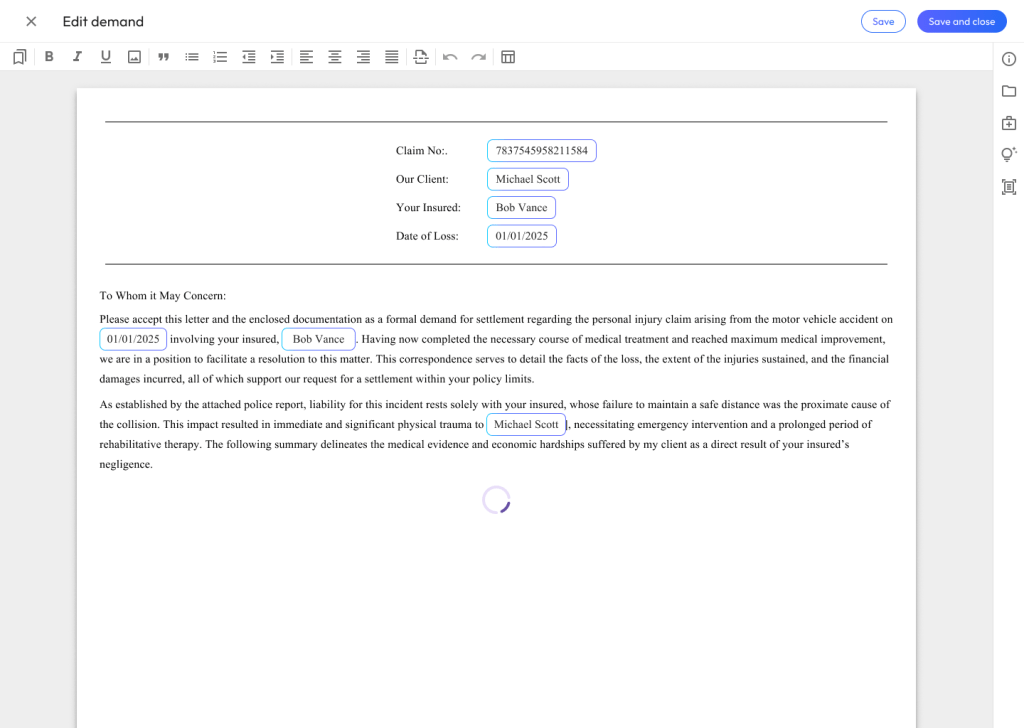
Create an industry leading, AI-enabled, document authoring experience that increases a law firm’s efficiency with creating bodily injury demand letters.
My Role
Product design
Project management
UX research & usability testing
UI & workflow design

Phase 1
Interaction Design: Pattern Research & Review
Prior to creating and low-fidelity mockups, I reviewed existing AI patterns and products to find usability patterns. I’m a strong believer in Jakob’s Law, that user’s spend most of their time on other sites. Thus, I wanted to make sure our applications aligned with best-practices and common interaction design (IXD).
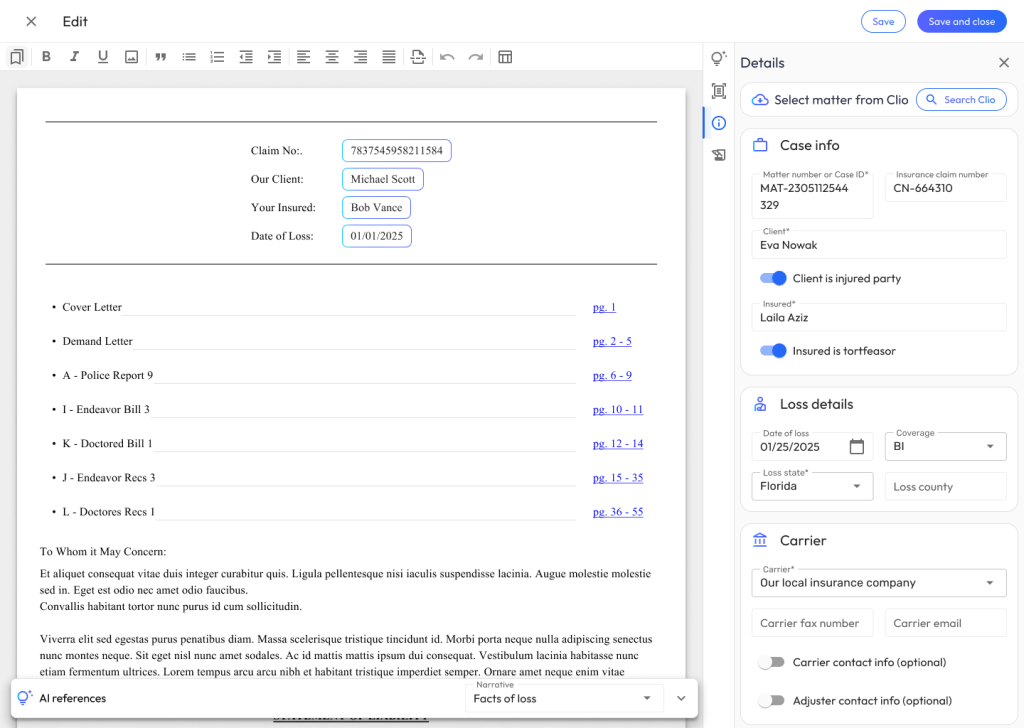
I found the best patterns for AI word processing existed in Notion, Google Docs, and Rippling. Patterns that stood out in these applications included:
- Keyboard shorts for menus
- Salient edit, read only, and animation states
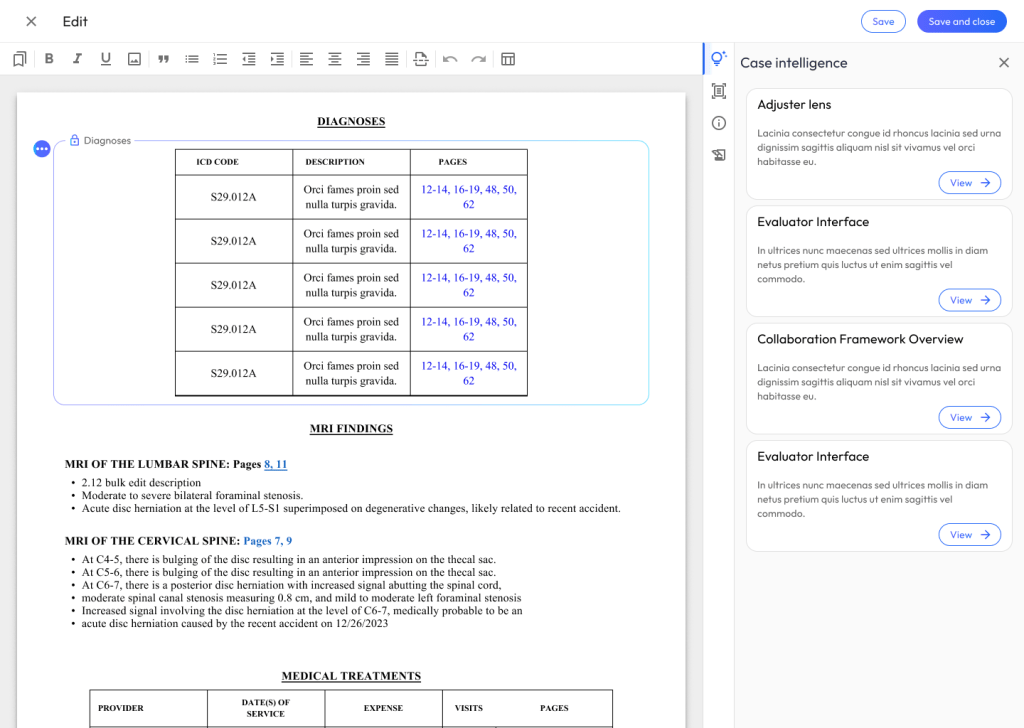
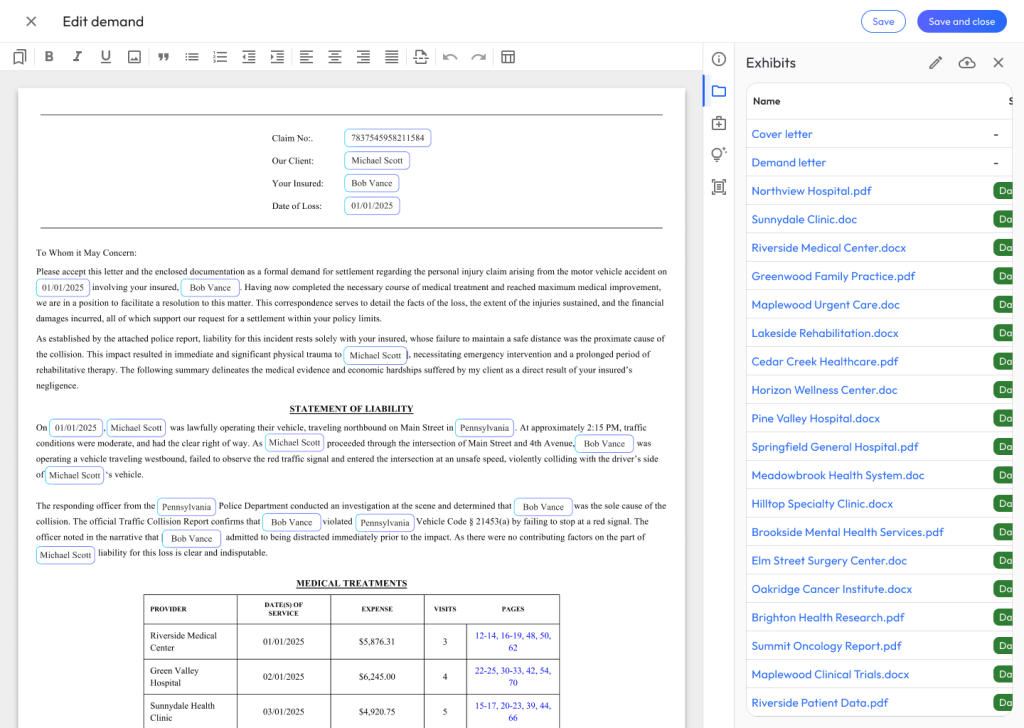
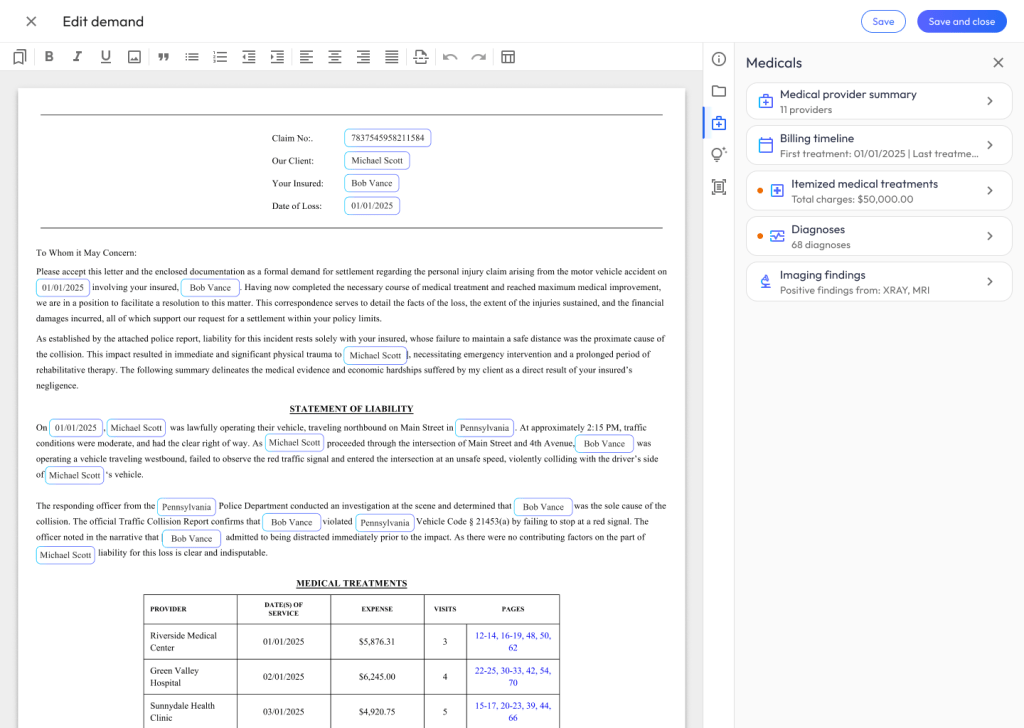
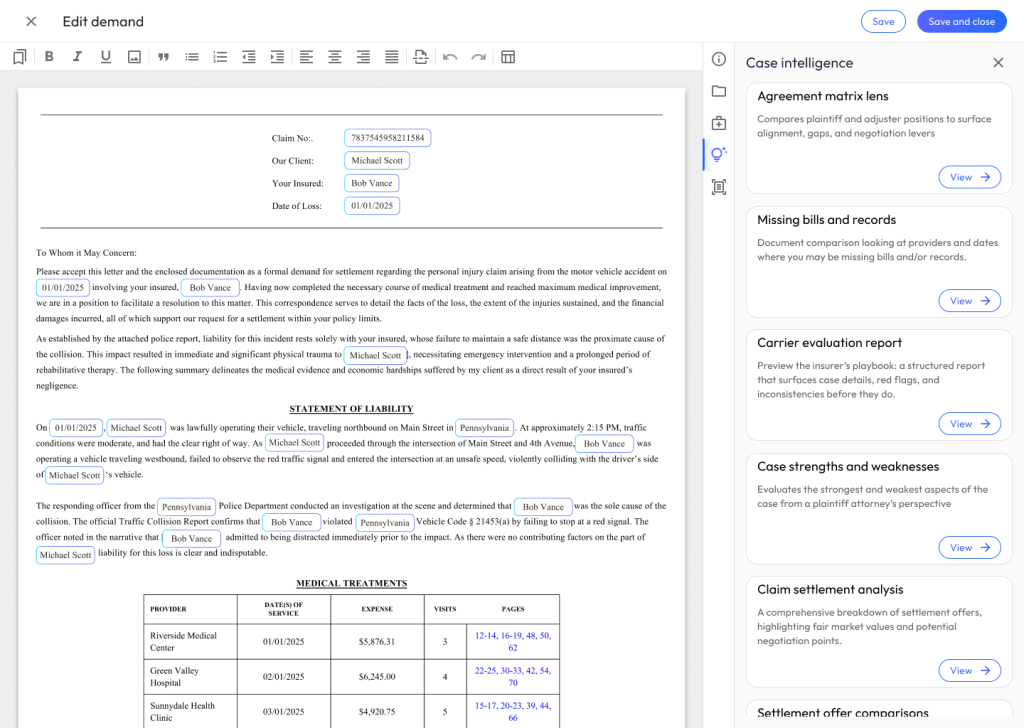
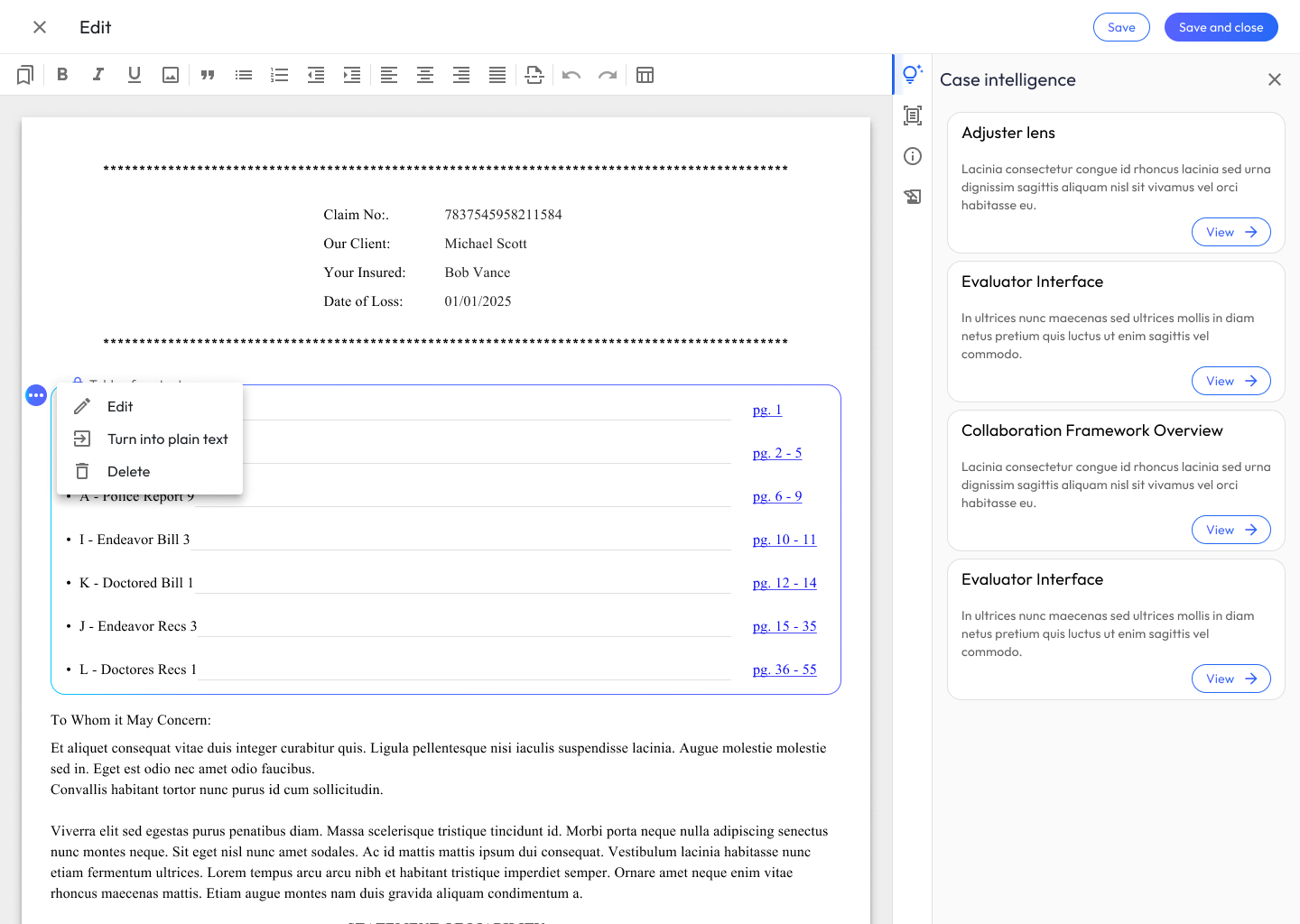
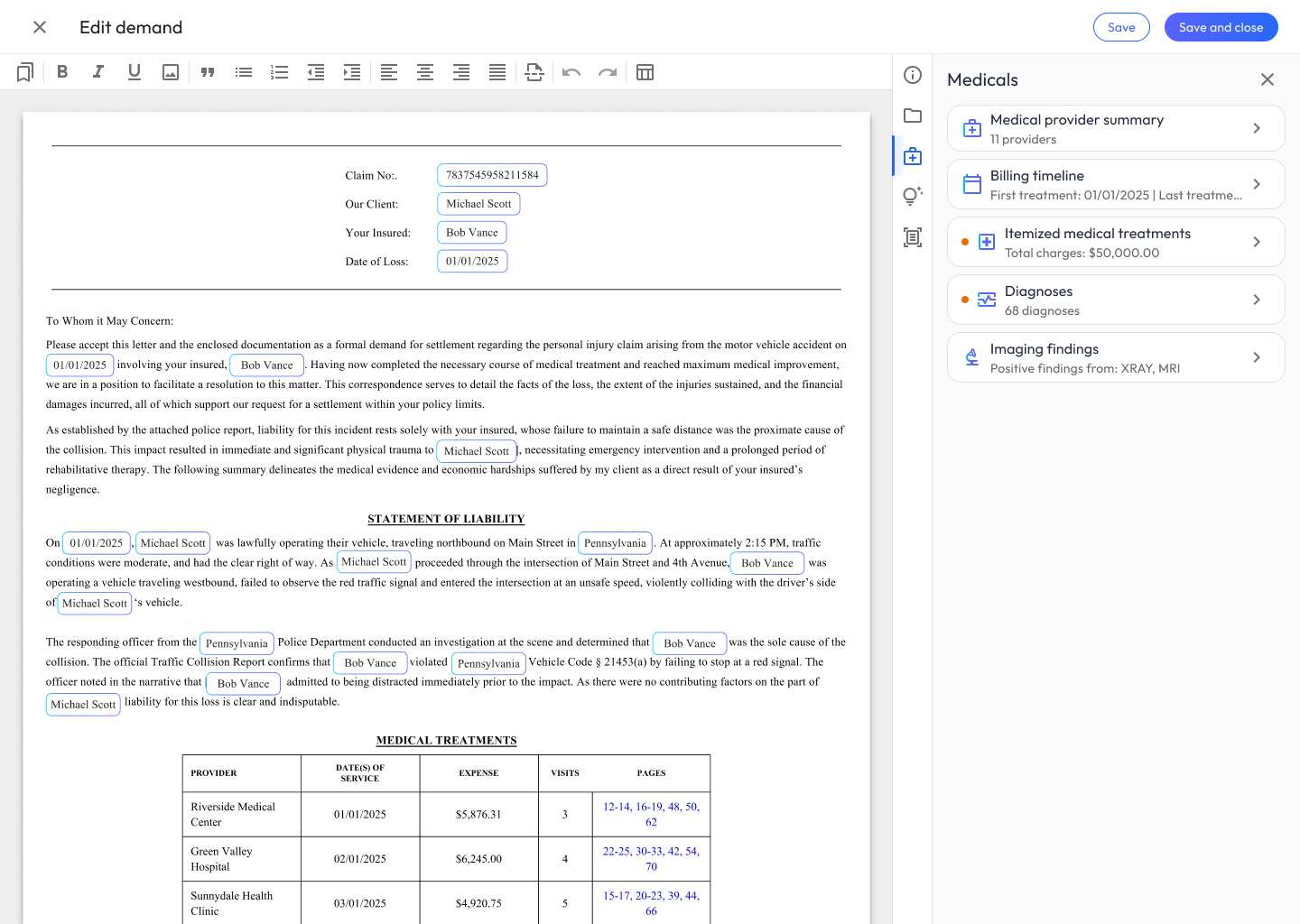
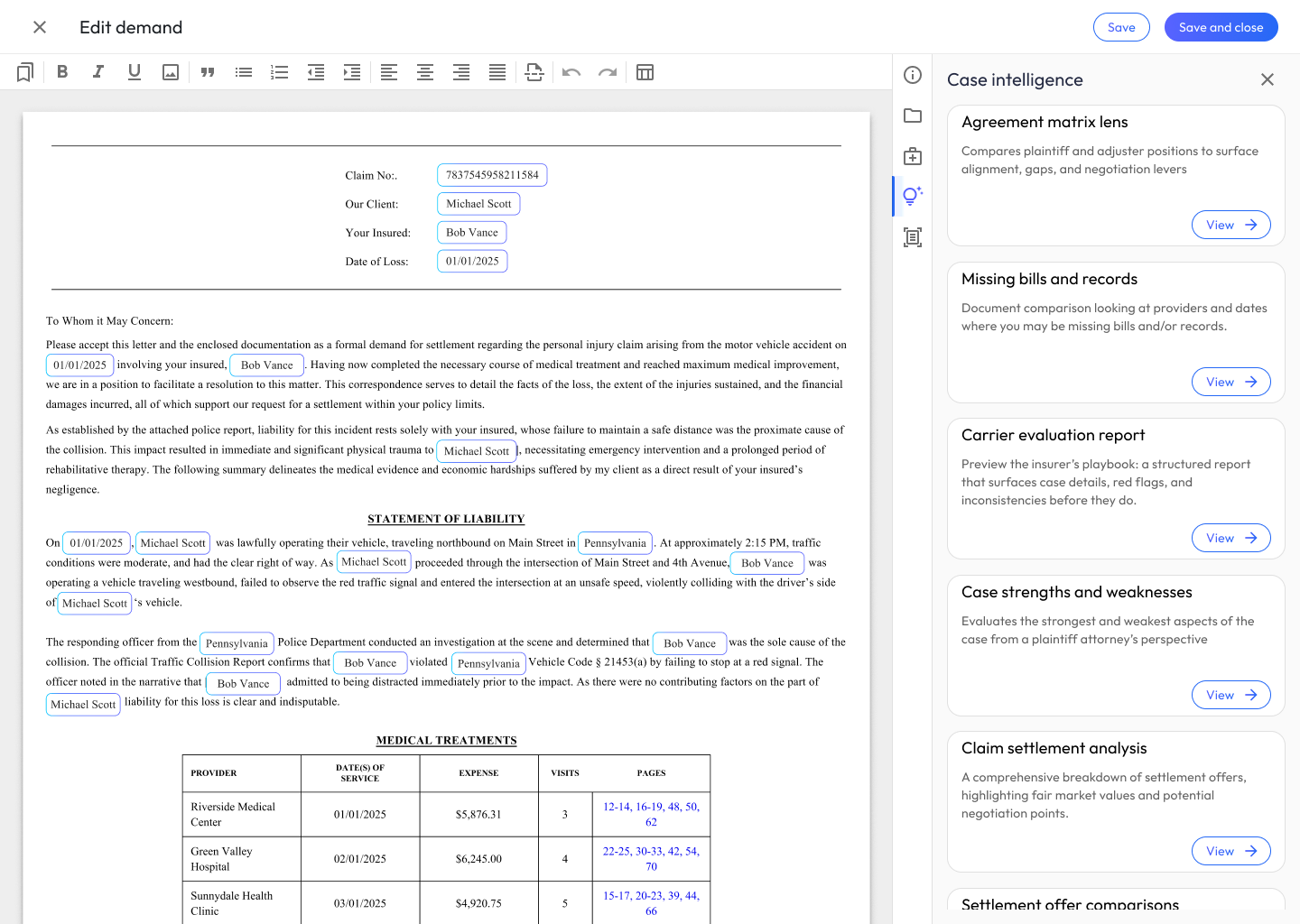
- Left and right drawer menus with vertical navigation
With some concepts together, it was time to review patterns with engineering to compile requirements.
Requirements Gathering
I like to include engineering teams in my design process as early as possible. That helps create a shared language, challenges assumptions, and gets teams aligned on MVP scope.
During this initial phase of collaboration, I worked with engineers to prioritize the list of features we’d need to support day 1:
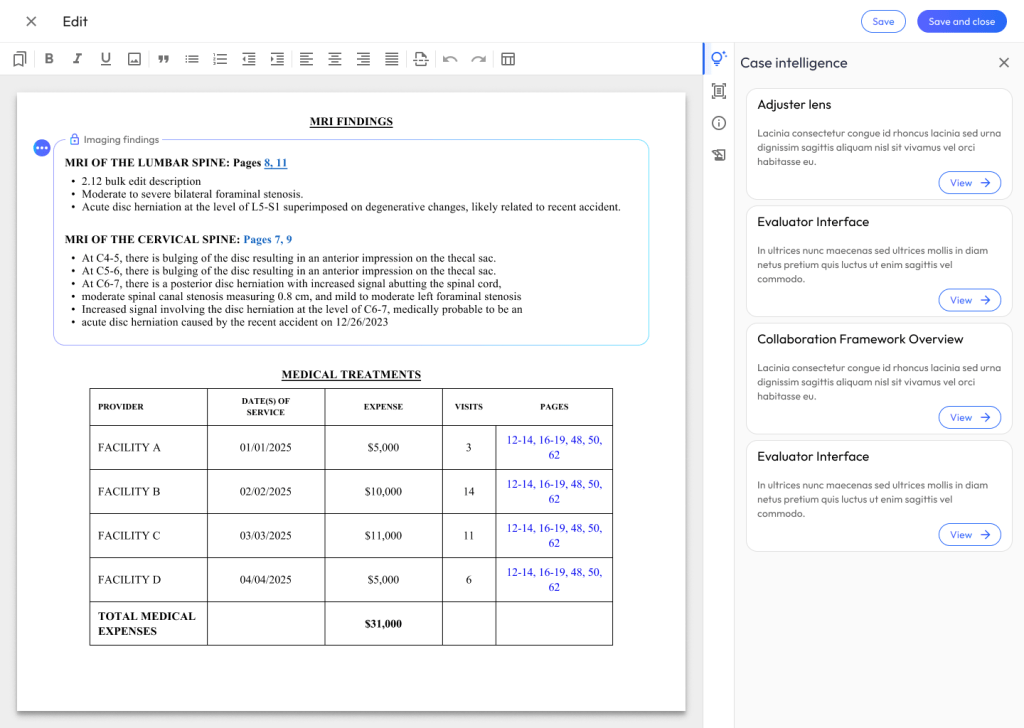
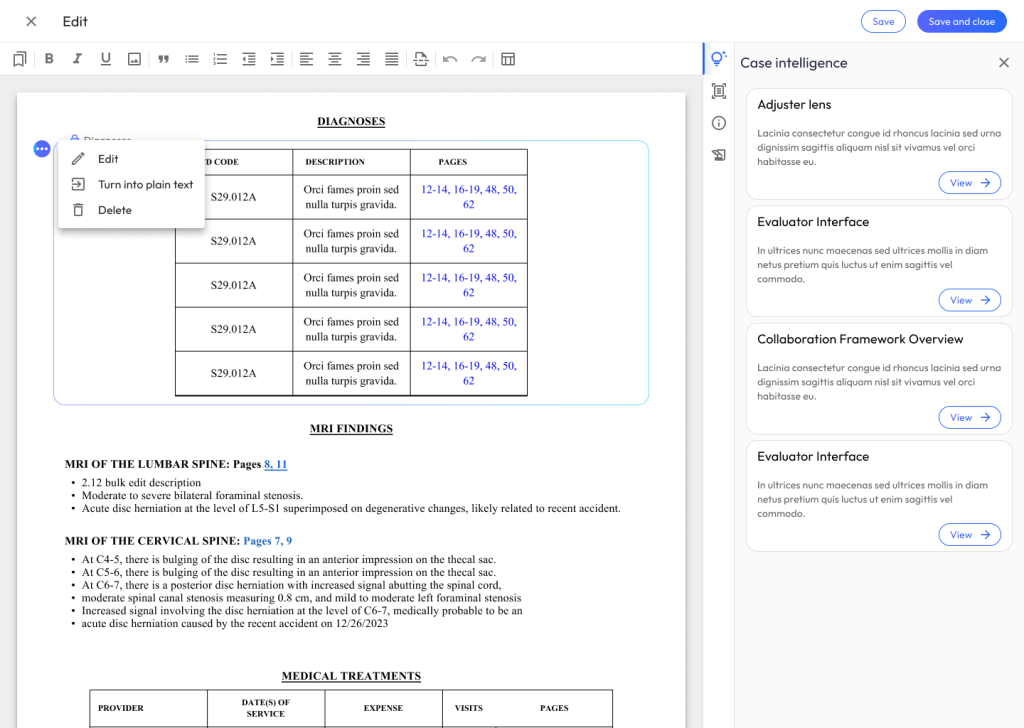
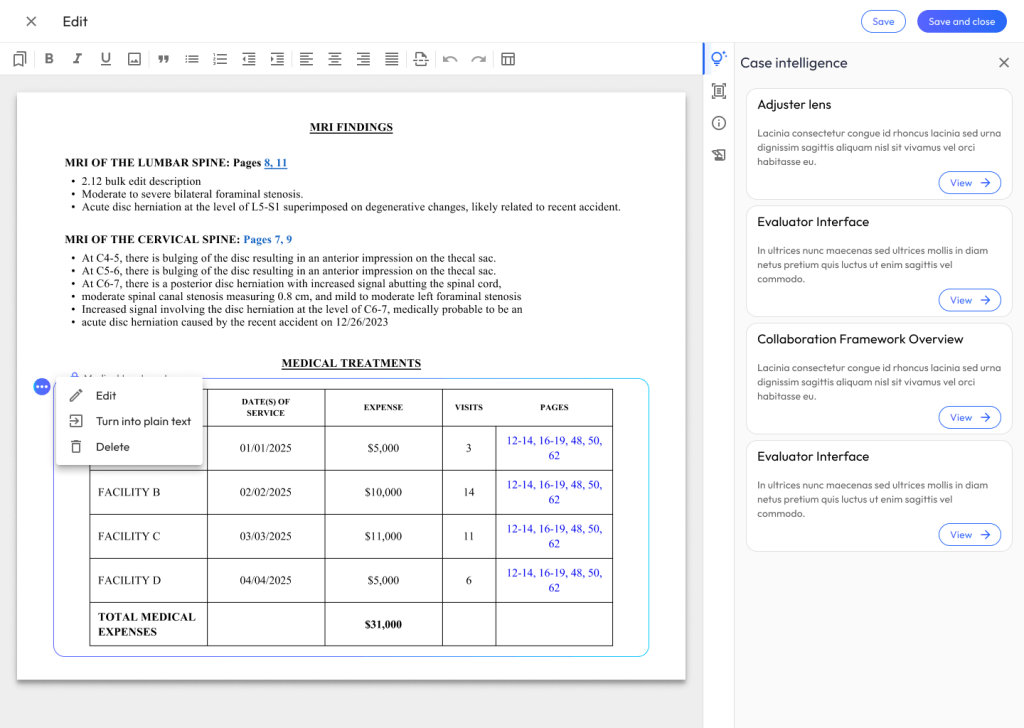
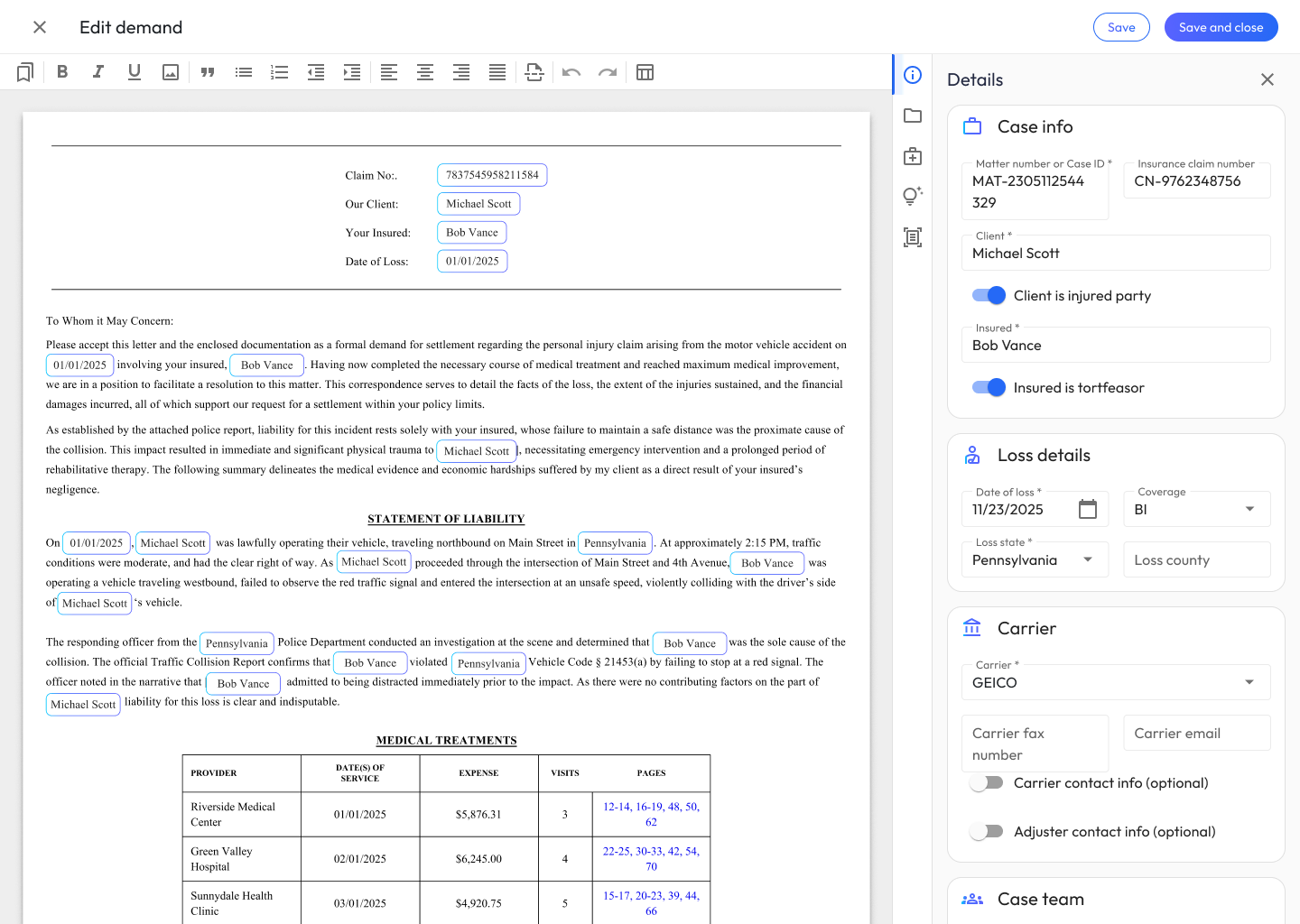
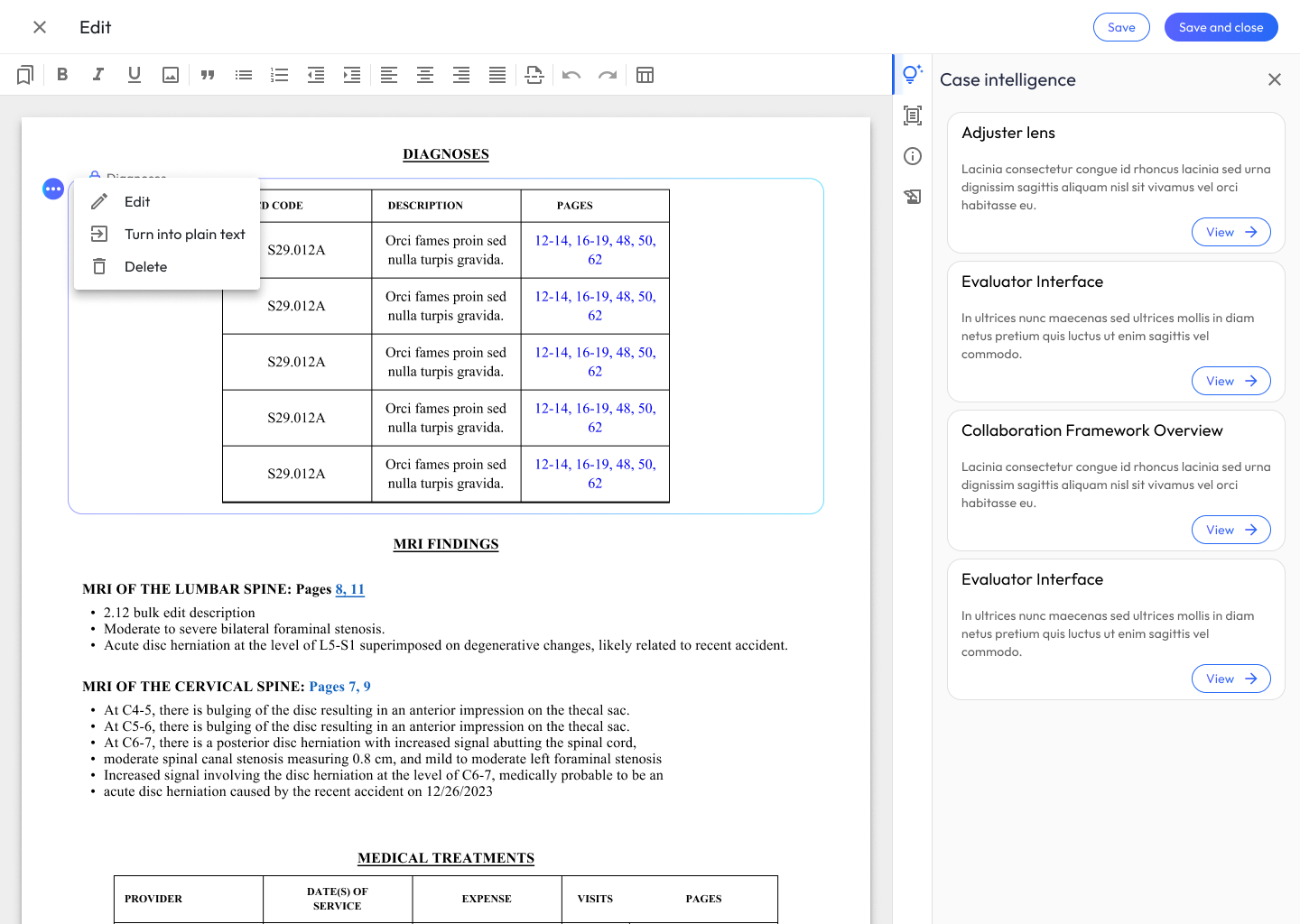
- Create tables populated with user data
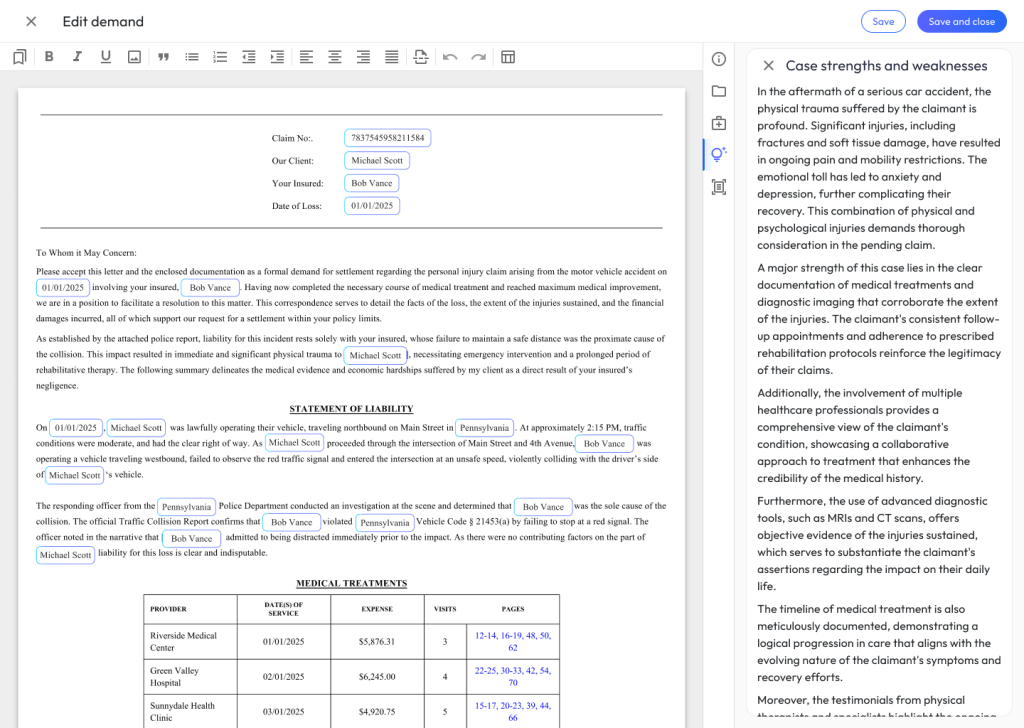
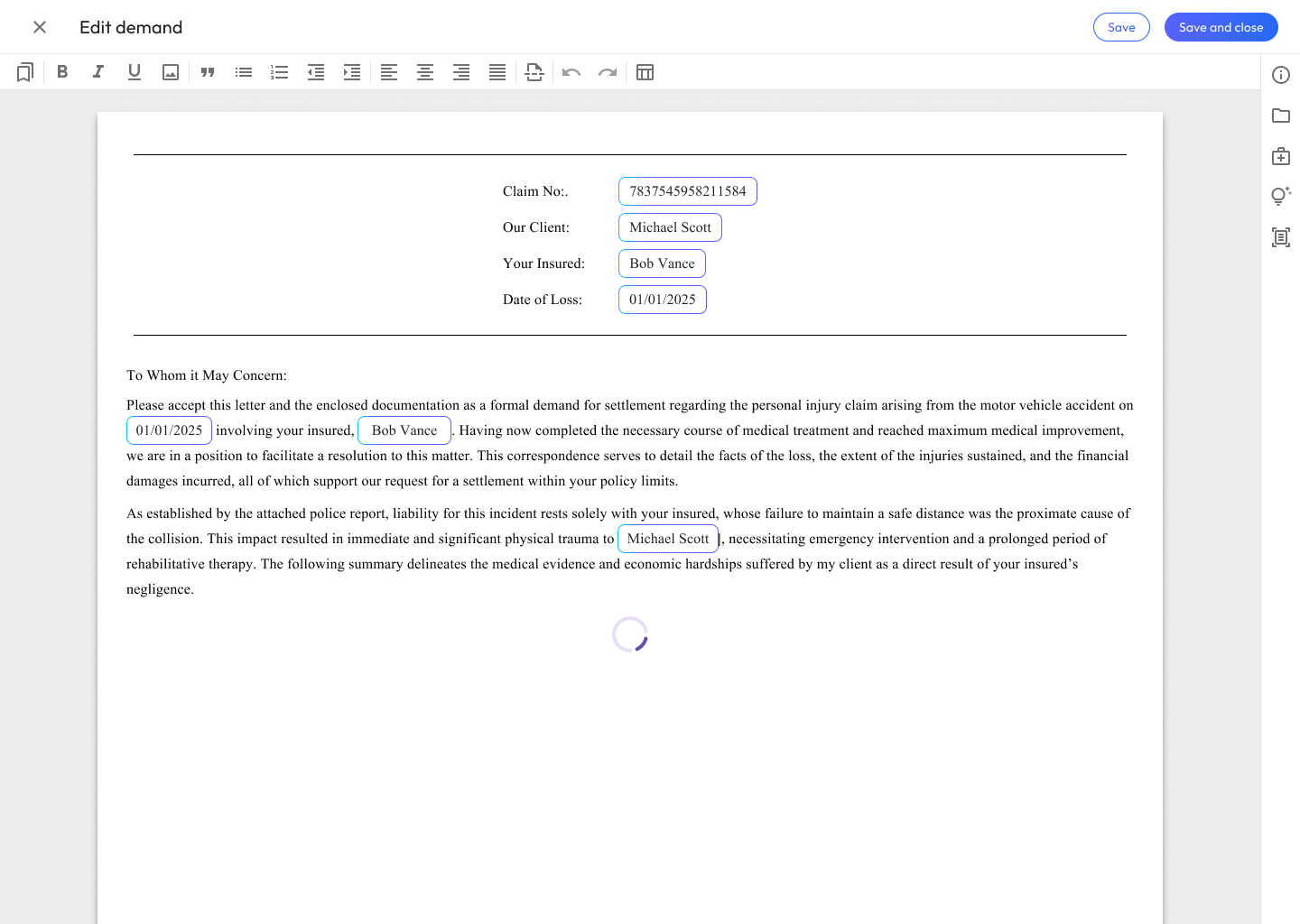
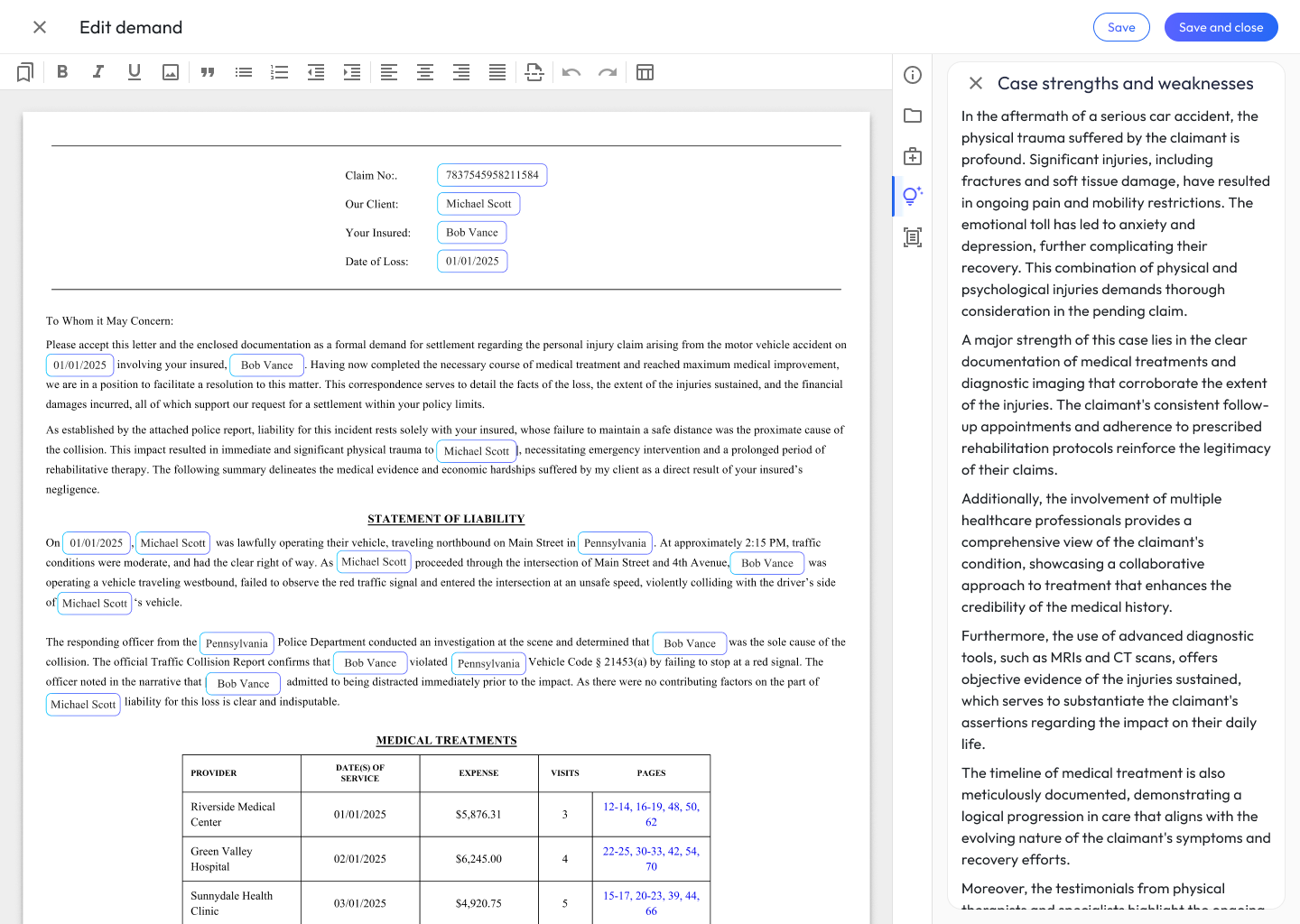
- Add AI-generated narratives
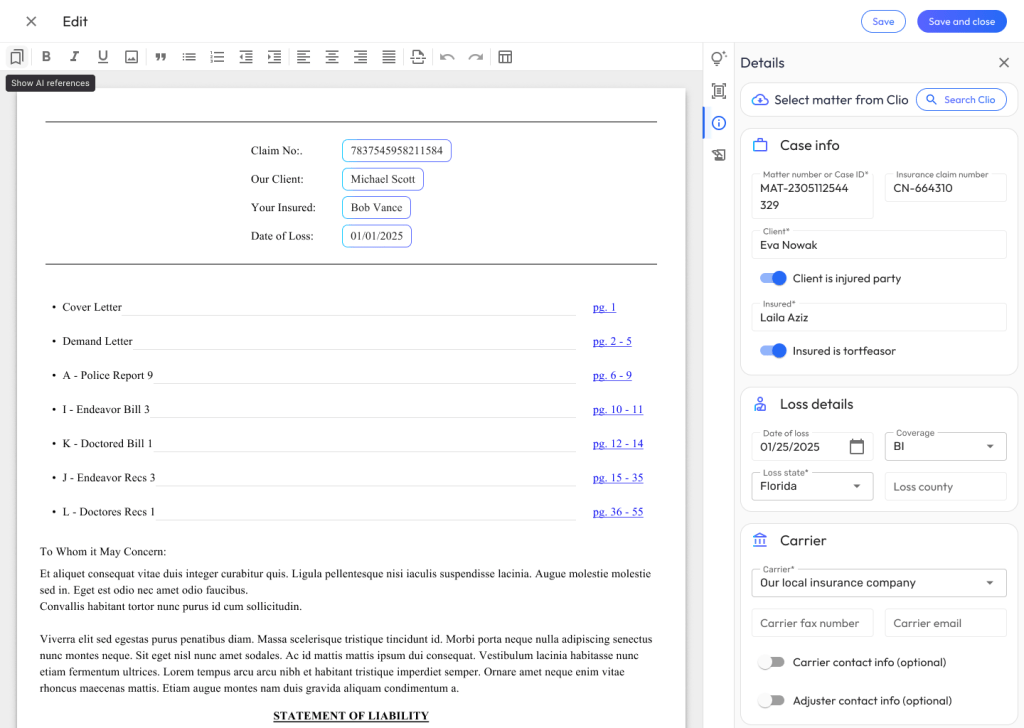
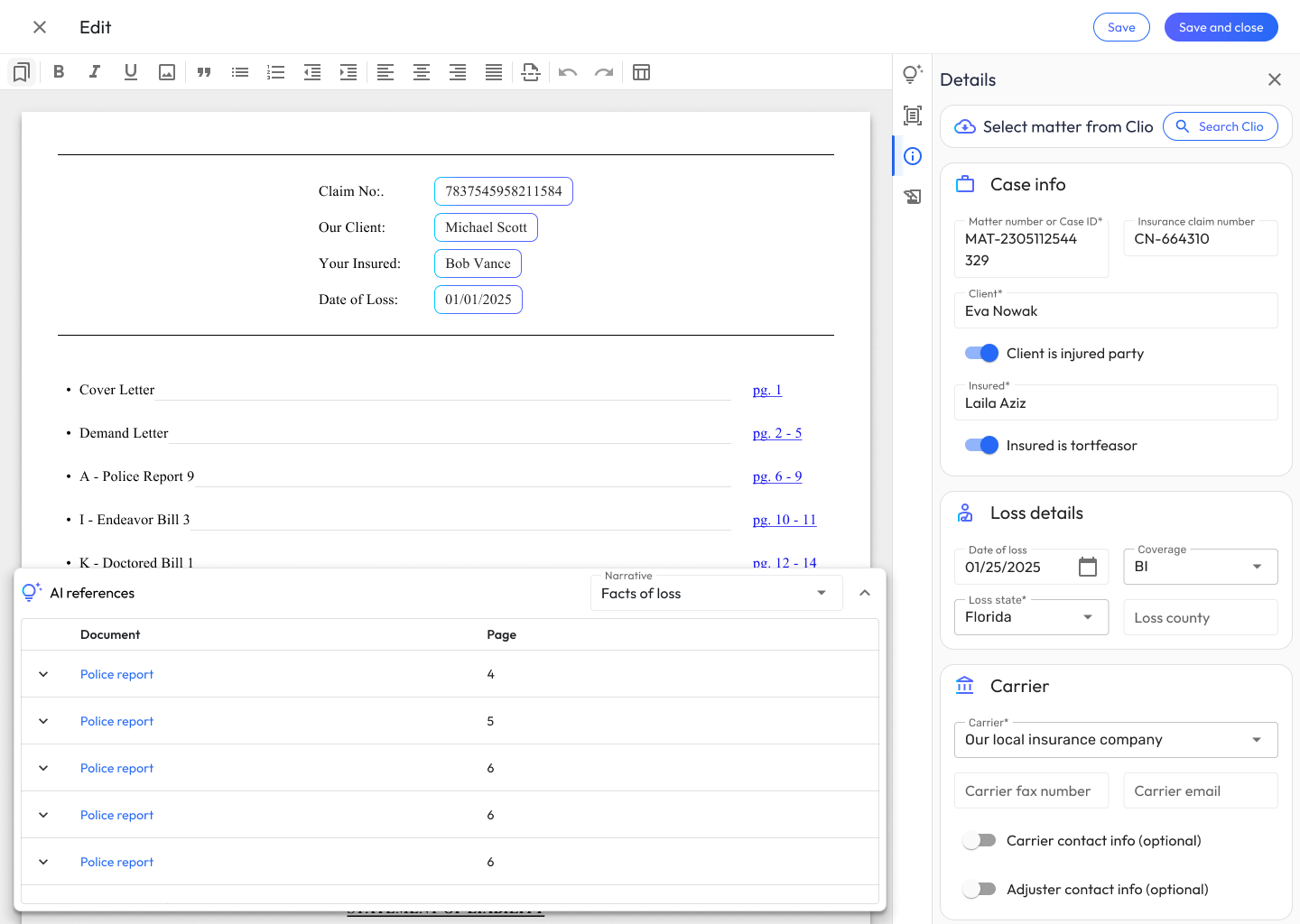
- Review & cross check data used to generate AI narratives
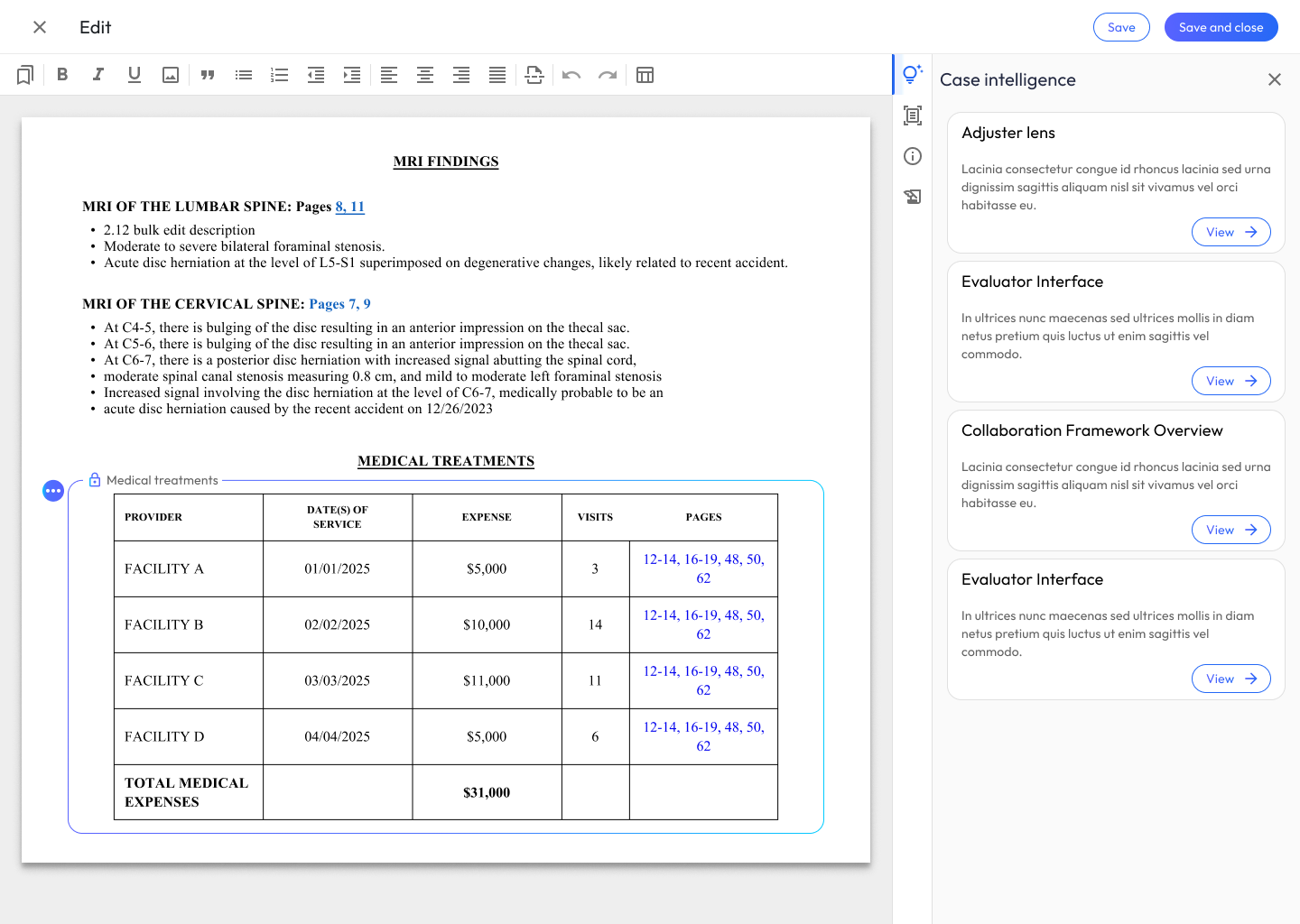
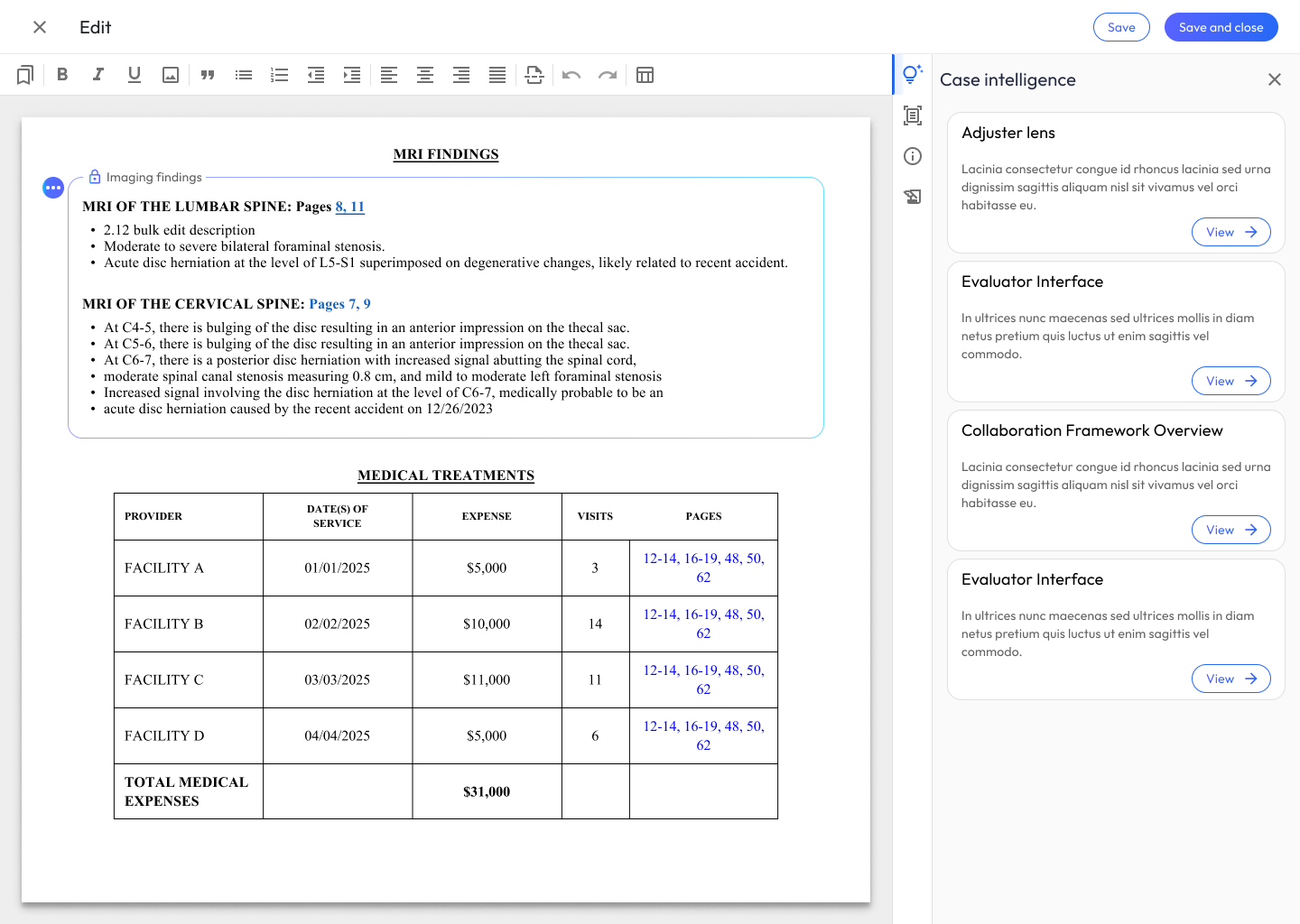
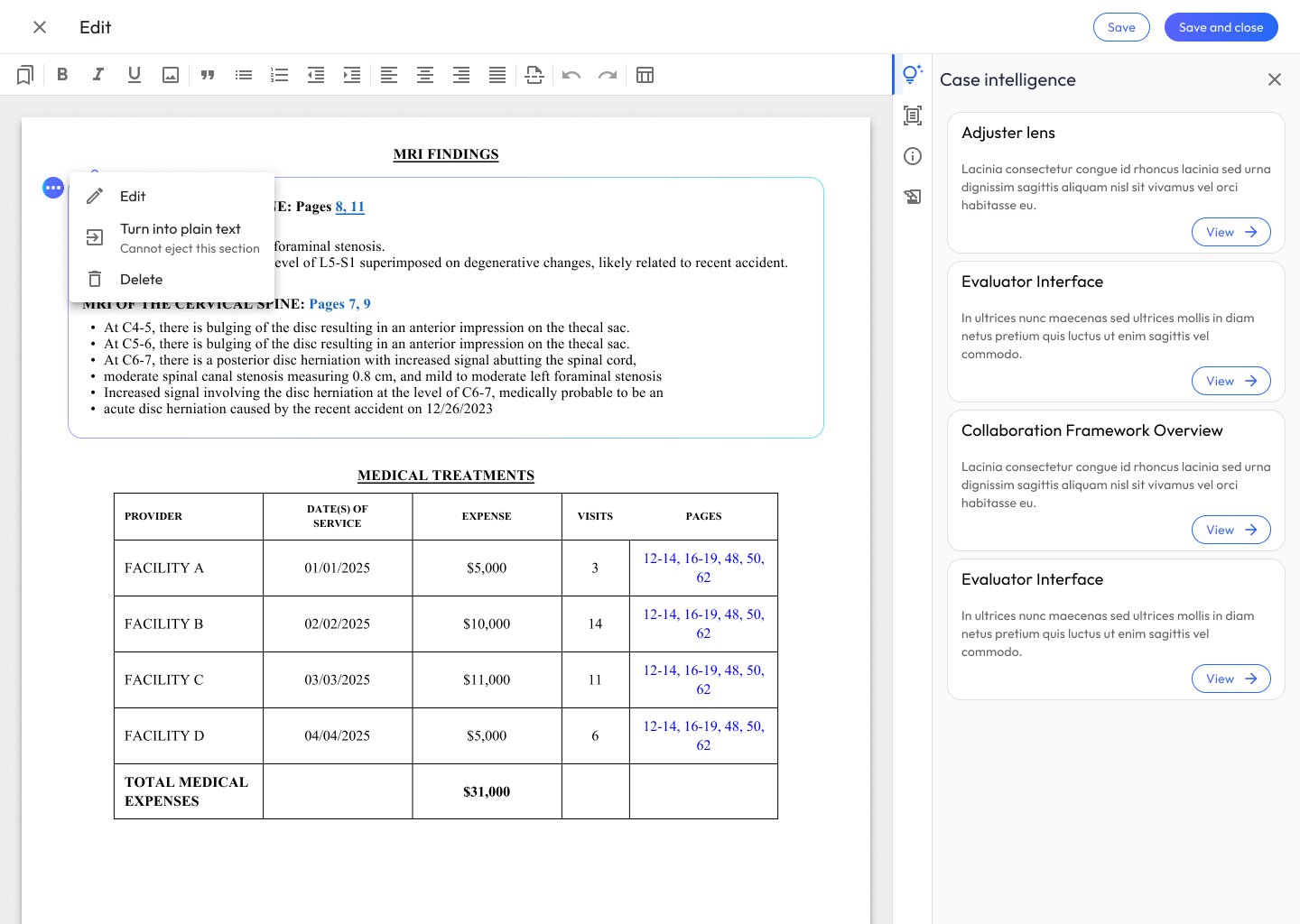
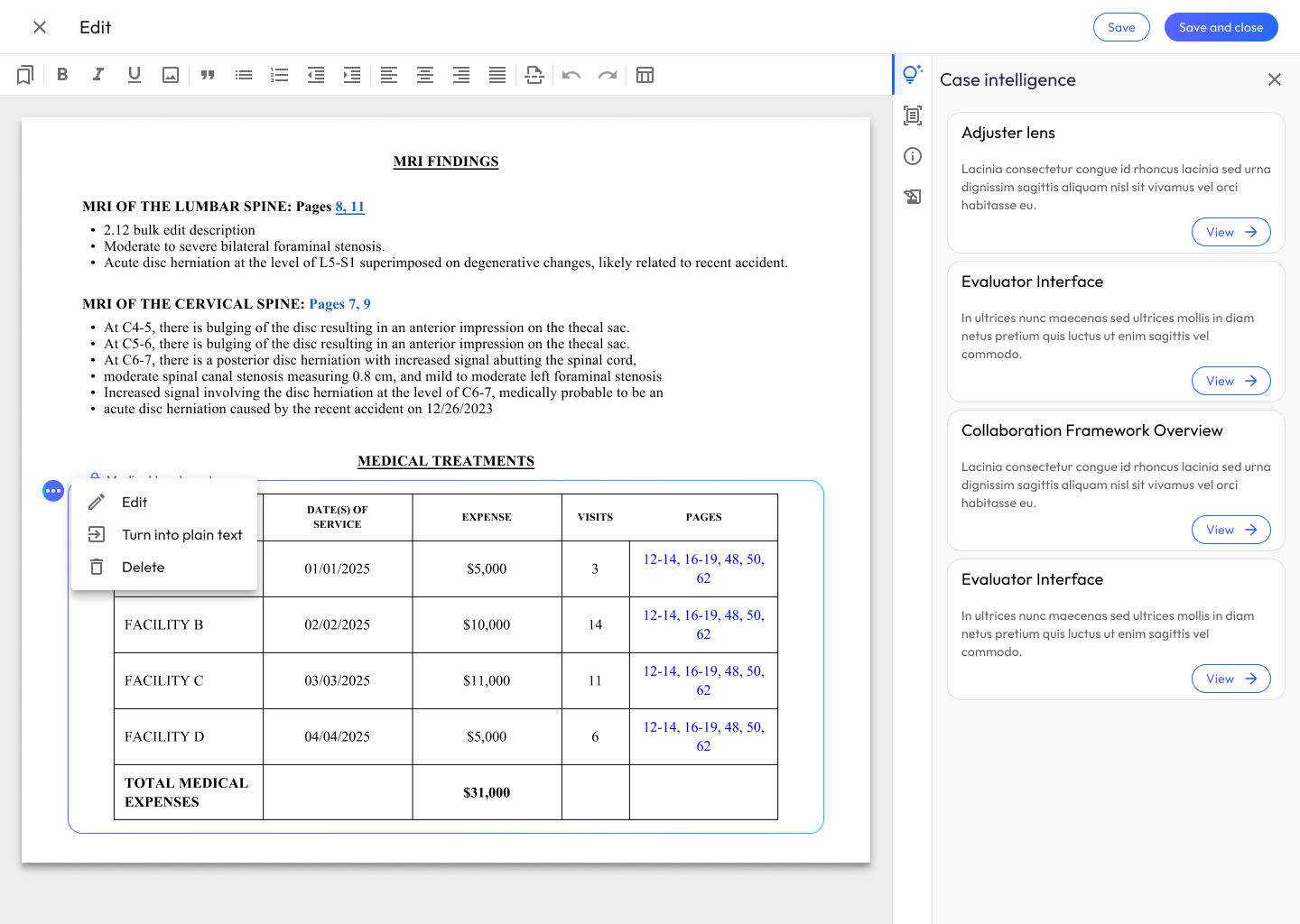
- Insert summaries of medical treatments
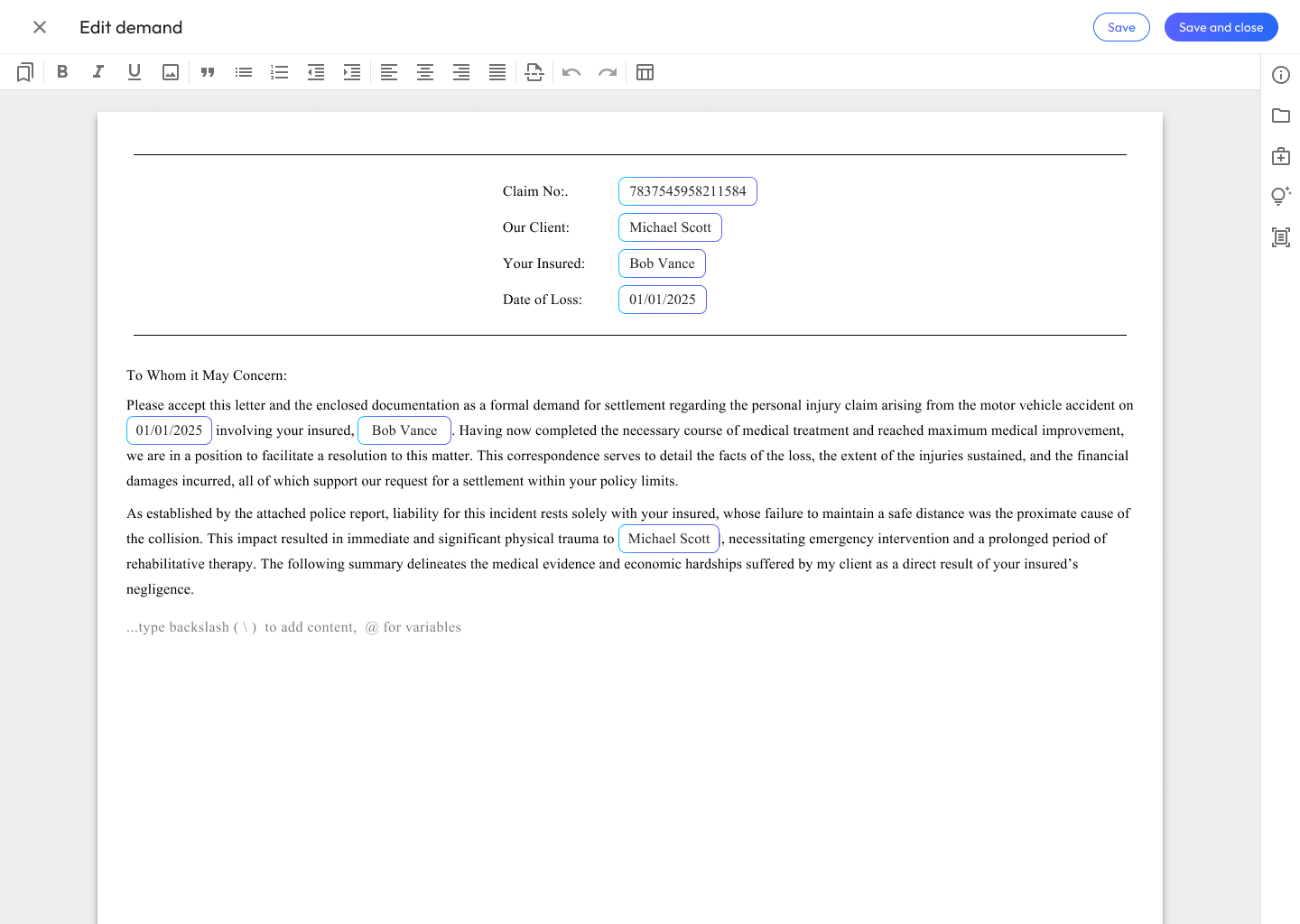
- Add templates of legal boilerplate text

Phase 2
Rapid Prototyping and Usability Testing
Next, the focus shifted to translating patterns into tangible experiences through rapid prototyping in Figma. The goal was to build interactive flows that accurately simulated the AI-enabled word processor’s core functions. A central principle during this stage was ensuring that the AI integration and the general experience design felt intuitive, trustworthy, and auditable. By creating these targeted, clickable prototypes, it became much easier to evaluate how naturally users could navigate the workspace without experiencing cognitive overload.
With the prototypes ready, the next step was getting them in front of actual users for usability testing. Observing how people interacted with the toolsets provided critical, reality-based feedback on where the friction points were. This initiated a tight iteration loop: analyzing the user testing data, adjusting the Figma designs to resolve usability hurdles, and re-testing to validate the improvements. Once the designs were refined and backed by solid user data, the final step of the phase involved reviewing the outcomes with product managers and engineers. This ensured the proposed solutions not only solved the users’ problems but aligned with the product roadmap and were technically feasible to build.
Usability Testing
Usability testing served as the critical reality check for the Demand Composer, allowing the Figma prototypes to be rigorously evaluated against actual user behavior. Rather than relying on internal assumptions about how legal professionals would interact with the generative features, task-based scenarios—such as drafting facts of loss or formatting medical tables—were used to observe their workflows firsthand. By employing a think-aloud protocol and asking open-ended questions, it became possible to see exactly where the proposed interface diverged from their expectations, pinpointing the exact moments of cognitive friction.
Introduction and Warm-Up (5 minutes)
Goal: Establish rapport, explain the think-aloud protocol, and understand their baseline workflow.
- Before we dive into the tool, can you walk me through your current process for drafting a bodily injury demand? What are the most time-consuming parts?
- How do you currently handle summarizing medical records, like imaging findings or treatment history?
- We are going to be testing a new workspace. As you work through the tasks, please think aloud, tell me what you’re looking at, what you’re trying to do, and if anything surprises or frustrates you.
Task 1: Generating Narratives (15 minutes)
Scenario: You are starting a new demand package for a client involved in a rear-end collision. You need to draft the ‘Facts of Loss’ and the initial ‘Injury Narrative’.
- Prompting the Action: Show me how you would use Demand Composer to generate the initial draft for the Facts of Loss.
- Observation Probes:
- What are your initial impressions of the text the system just generated?
- How closely does this output match the tone and structure you would typically use?
- If you needed to expand on the client’s specific pain points in this narrative, how would you go about adjusting the AI’s draft?
- Talk to me about how confident you feel using this generated narrative in a final demand package.
Task 3: Generating and Editing Tables (15 minutes)
Scenario: The narrative is looking good. Now, you need to add a structured summary of the client’s medical treatments, specific diagnoses, and MRI findings.
- Prompting the Action: Walk me through how you would create a table summarizing the client’s physical therapy sessions and MRI results.
- Observation Probes:
- What are your thoughts on the way the AI organized the treatment data into this table?
- Let’s say the AI missed a secondary diagnosis from the orthopedist. Show me how you would correct or add that information to the table.
- How intuitive is the process of modifying the columns or rows compared to the tools you currently use?
- If you needed to reformat this medical table to highlight the total cost of treatments, how would you approach that?
Post-Task Wrap-Up and System Perception (10 minutes)
Goal: Capture overall impressions, trust levels, and perceived efficiency.
- Overall, how would you describe your experience today?
- What was the most frustrating part of interacting with the AI-generated text or tables?
- If you had a magic wand and could change one thing about how the AI generates the injury narratives, what would it be?
- How do you feel about the balance between the AI doing the heavy lifting and the amount of manual editing you had to do?
- In what scenarios would you hesitate to use this tool for a real case?
Story Creation and Project Categorization
Following the usability sessions, I synthesized qualitative feedback to identify patterns in user behavior and pinpoint areas for improvement. This data directly informed the next round of Figma iterations.
For instance, based on how users handled the injury narratives and medical tables, I refined the editing states, improved AI-status indicators, and streamlined the menus for manipulating generated content. By grounding these design updates in real user data, the final UI resolved the identified usability hurdles while building greater user trust in the AI’s output.
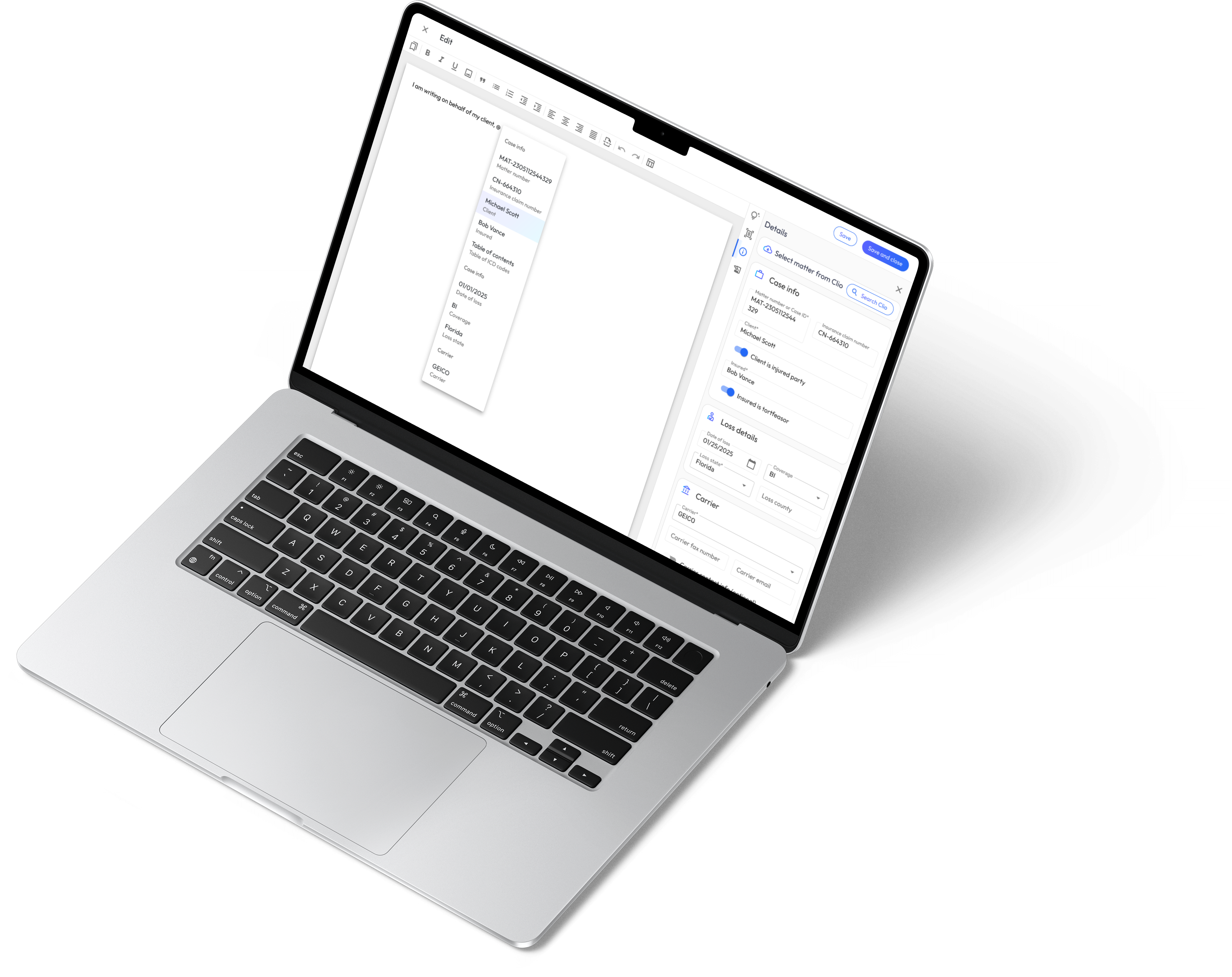
Once the revised designs were locked in, the focus shifted to project categorization and story creation to bridge the gap between design and engineering. The holistic experience was deconstructed into logical feature categories—such as narrative text generation, table data manipulation, and document formatting.
From these categories, granular user stories were authored to define specific Frontend (FE) and Backend (BE) requirements. FE stories focused on UI components, text editor interactions, and state management, while BE stories detailed the AI prompt handling, data processing, and necessary API integrations. This structured categorization provided the engineering team with clear, testable acceptance criteria for a smooth implementation.
Phase 3
Engineering Collaboration
During Phase 3, my collaboration with the engineering team was critical for bridging the gap between the final designs and the live product. I worked closely with both front-end and back-end developers throughout their sprint cycles, actively participating in design QA sessions and reviewing staging environments. By comparing the coded builds directly against the Figma prototypes, I provided detailed, actionable feedback to ensure pixel-perfect alignment between my design intent and the final engineering output. This tight feedback loop was especially important for fine-tuning the UI states and the interactions within the AI-generated text and medical tables.
Product Management Collaboration
In tandem with engineering, I maintained constant alignment with Product Managers to ensure the developed features stayed true to the core user requirements defined during our usability testing. We collaborated daily to prioritize the user stories we had mapped out and made strategic adjustments to the scope whenever technical constraints arose. This partnership ensured that the integrity of the Demand Composer experience wasn’t compromised during development, and that the final deliverables successfully hit our target milestones for the release.
Operations Collaboration
Beyond the end-user experience, I partnered closely with the operations team to guarantee the new tools actively improved internal workflows. We reviewed the Demand Composer’s implementation to ensure the features directly enhanced admin efficiency, specifically looking at how the tool reduced the manual overhead required to process and format complex injury narratives and medical records. By integrating operations feedback during the testing phase, I helped refine the tool so that it seamlessly supported the broader operational goals and scaling needs of the business.
Sales & Go-To-Market Collaboration
Finally, as the features approached launch, I collaborated with the sales and marketing teams to support a successful rollout. I provided them with high-fidelity visual assets, guided product walkthroughs, and clear documentation on the new AI capabilities and their specific user benefits. This cross-functional alignment ensured that external product announcements and company news were highly accurate and compelling when the Demand Composer went live, empowering the sales team to effectively demonstrate the value of the new workspace to clients.