
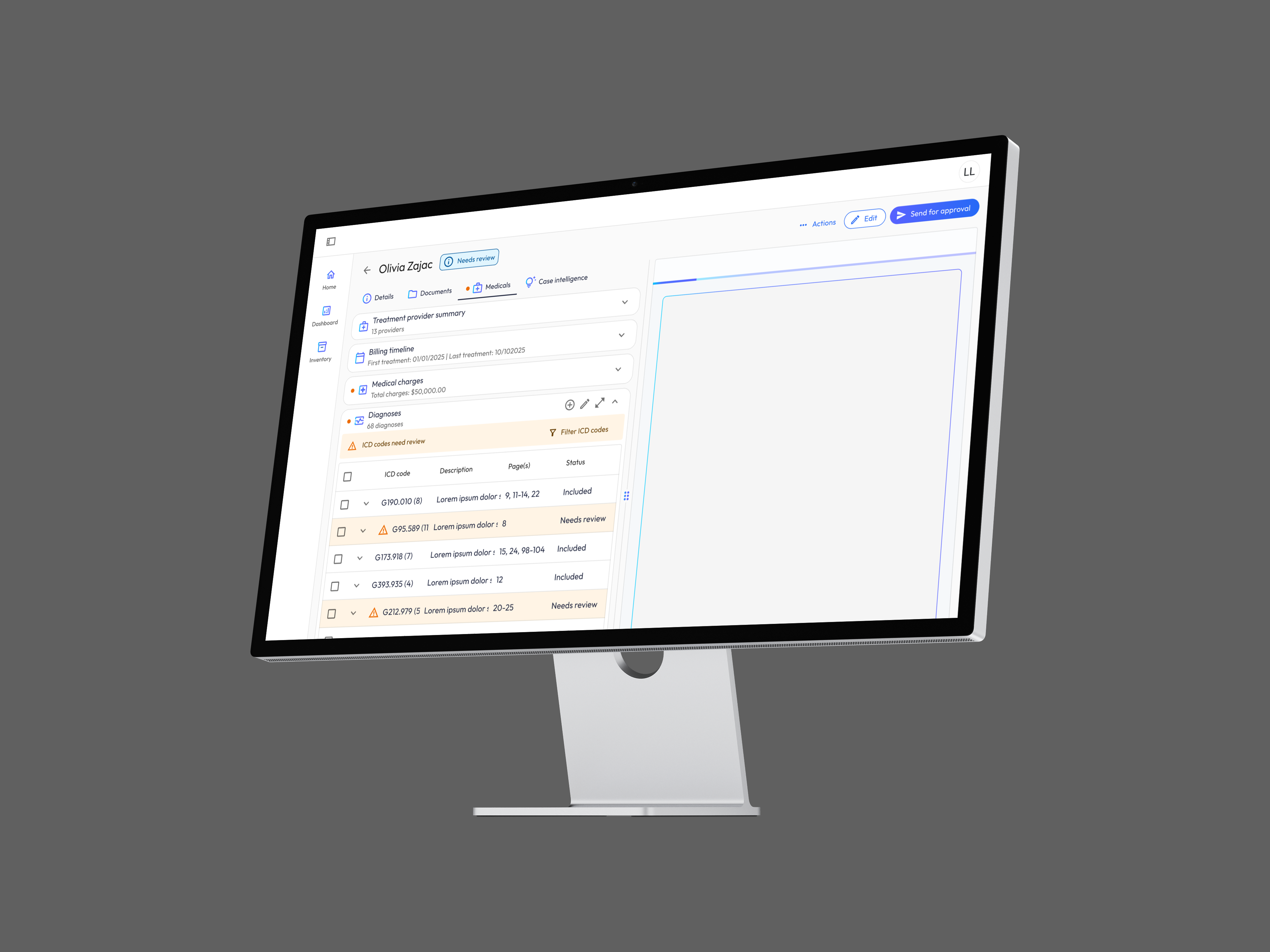
This is one of four Precedent case studies, the AI-review interaction model. For the system-level view, see Law Firm AI Ecosystem; for the onboarding flow, see AI Ecosystem Onboarding; for the editor’s process story, see AI Document Authoring.
Bodily injury demand letters are the backbone of personal injury litigation. They synthesize months or years of medical treatment into a persuasive narrative that communicates a client’s injuries, suffering, and financial losses to insurance companies. Before AI, producing these letters was a brutal process, and the stakes of getting one wrong are measured in six-figure settlements and clients waiting on money they need. The opportunity was clear: AI could dramatically accelerate this workflow. But the challenge wasn’t just automation; it was building the right level of human oversight into an AI-powered pipeline so that attorneys could trust the output, catch edge cases, and maintain the professional judgment their clients depend on.
My Role & Team
As the Principal Product Designer, I owned the design and front-end implementation of core workflows.
I worked inside a cross-functional pod: 1 ML engineer, 1 backend engineer, 1 FE engineer, and 2 attorney advisors from partner firms. I owned design of the review workflows, as well as requirements and prioritization; ML engineering owned extraction and confidence tuning.
My responsibilities spanned:
- Product strategy: Defining the customer journey from document upload through demand letter delivery, identifying where human review adds the most value and where automation should run uninterrupted
- Interaction design: Designing review workflows for flagged treatments, narrative generation, and context management (interfaces where attorneys interact directly with AI output)
- Front-end development: Building custom UI components for filterable data tables, inline narrative review, and instruction-based rewriting, bridging design intent with production code
- Cross-functional leadership: Collaborating with ML engineers on RAG pipeline outputs, aligning product decisions with legal domain experts, and shaping the roadmap around user research findings
The Problem
Before AI, the law firm status quo looked like this:
- Paralegals manually reading hundreds of pages of medical records, often across dozens of providers
- Extracting treatments, diagnoses, and billing data by hand into spreadsheets or templates
- Attorneys spending hours writing narratives that synthesize medical, financial, and personal impact information
- High error rates; missed treatments, duplicate charges, and overlooked pre-existing conditions slipping through
- Turnaround times measured in weeks, delaying settlements and straining client relationships
The user pain and the business pain pointed at the same design question: full automation was off the table (no attorney stakes a settlement on unreviewed machine output), but a review process that re-reads everything erases the efficiency gains. The product had to answer one question precisely: where should human judgment live?
Research & Process
The central design challenge was this: how do you give legal professionals enough control to trust AI-generated content, without making the review process so burdensome that it erases the efficiency gains?
I framed the product around three principles. These principles weren’t drafted at a desk. Over the course of a month, I facilitated 3 working sessions with attorneys and paralegals: journey-mapping their existing demand process to find where trust broke down and co-reviewing early prototypes against redacted case files. The three principles below are the distilled output of those sessions; each one traces back to something a practitioner told us.
1. Surface the Right Decisions, Not All the Data
The ETL pipeline processes enormous volumes of medical records. Rather than exposing every extracted data point for review, I designed the system to surface only the items that require human judgment: flagged treatments that the AI identified as potentially problematic.
This meant designing a triage-first experience: the system does the heavy lifting of extraction and organization, and the attorney’s attention is directed to the decisions only they can make.
2. Make AI Output Reviewable, Not Just Readable
There’s a meaningful difference between presenting a wall of generated text and designing an interface that supports active review. I focused on making AI output decomposable, breaking narratives into discrete, reviewable sections tied to specific evidence, so attorneys could evaluate claims against source material rather than reading prose on faith.
3. Keep the Human in Command
Every AI-generated output is a draft, not a deliverable. The workflows I designed ensure that attorneys can accept, reject, edit, or regenerate any piece of content with custom instructions. The AI proposes; the human disposes.
Flows
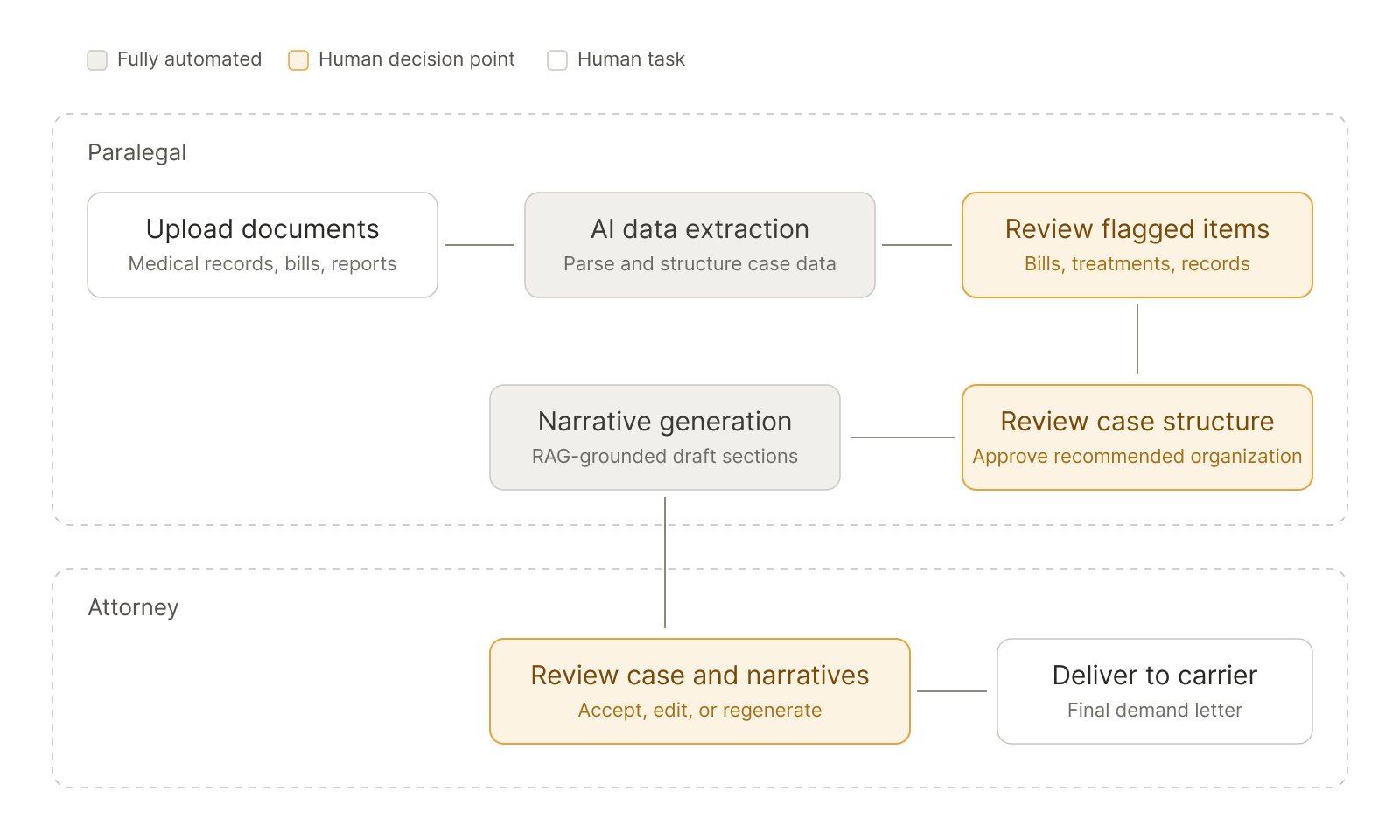
Before the step-by-step breakdown, here is the flow in one view. Shaded stages run fully automated; highlighted stages are the deliberate human decision points. The entire product thesis is visible in where those decision points sit: early enough to catch problems, late enough that attorneys never do work the machine should have done.
The Design
Step 1: Document Upload & Processing
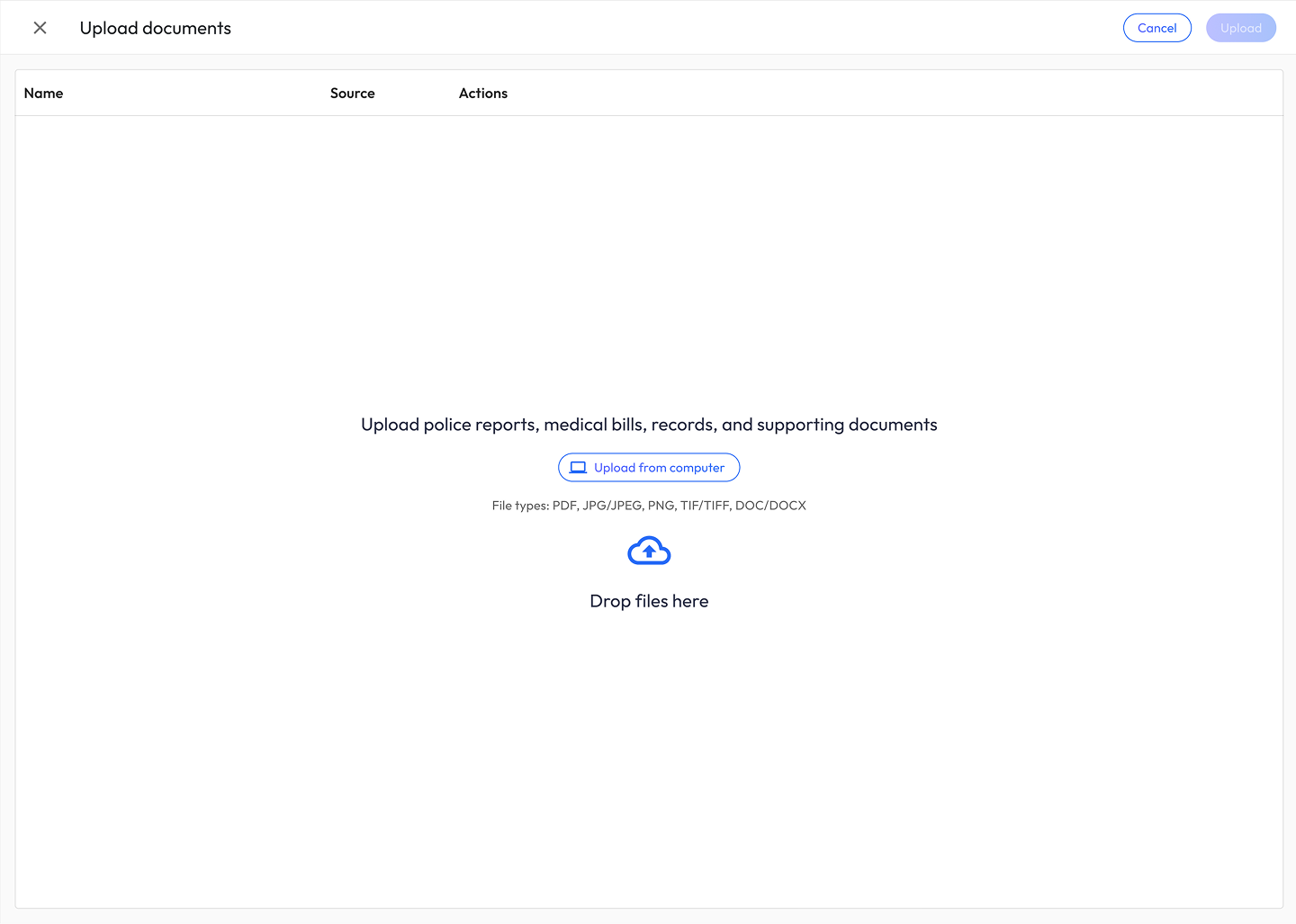
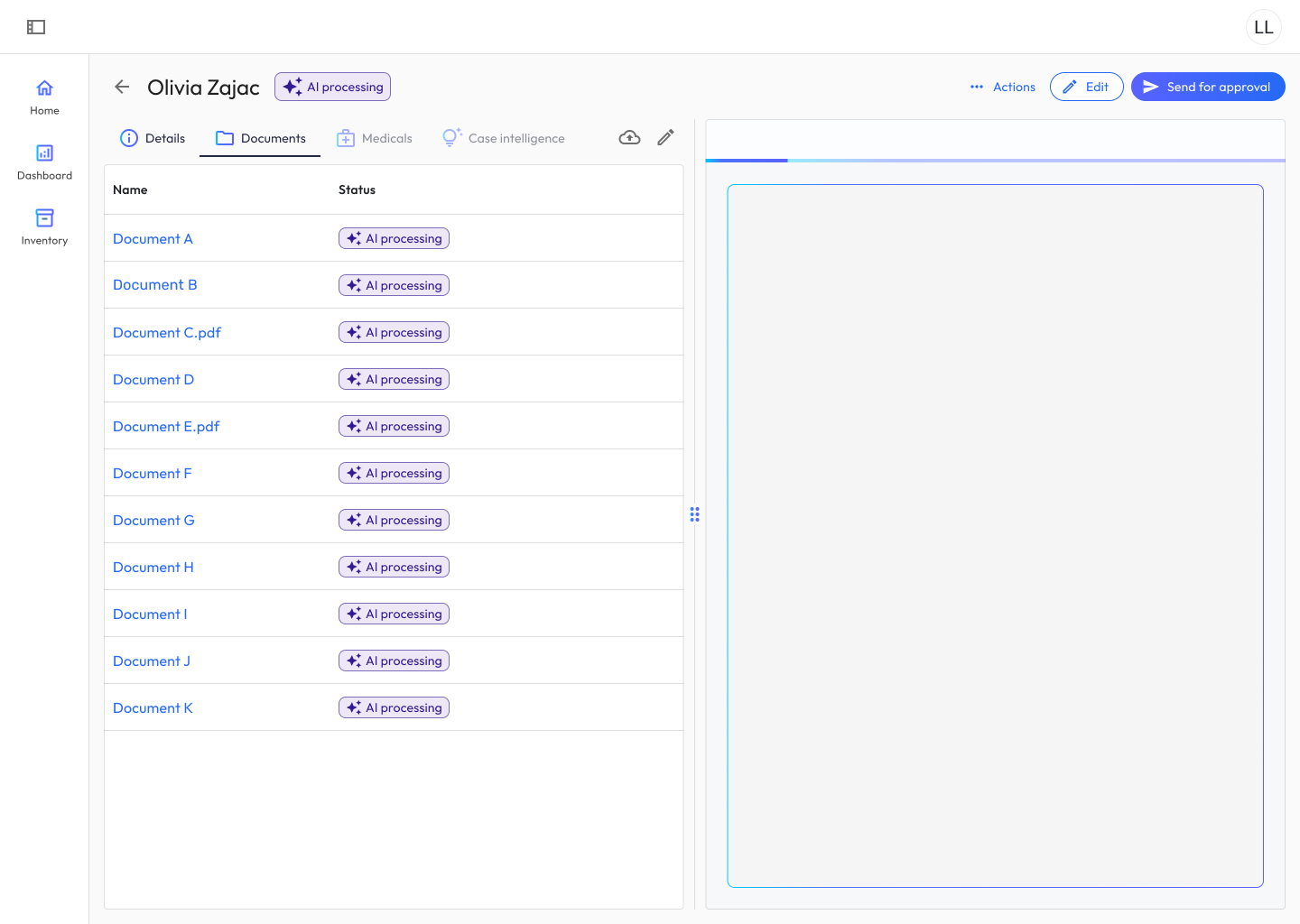
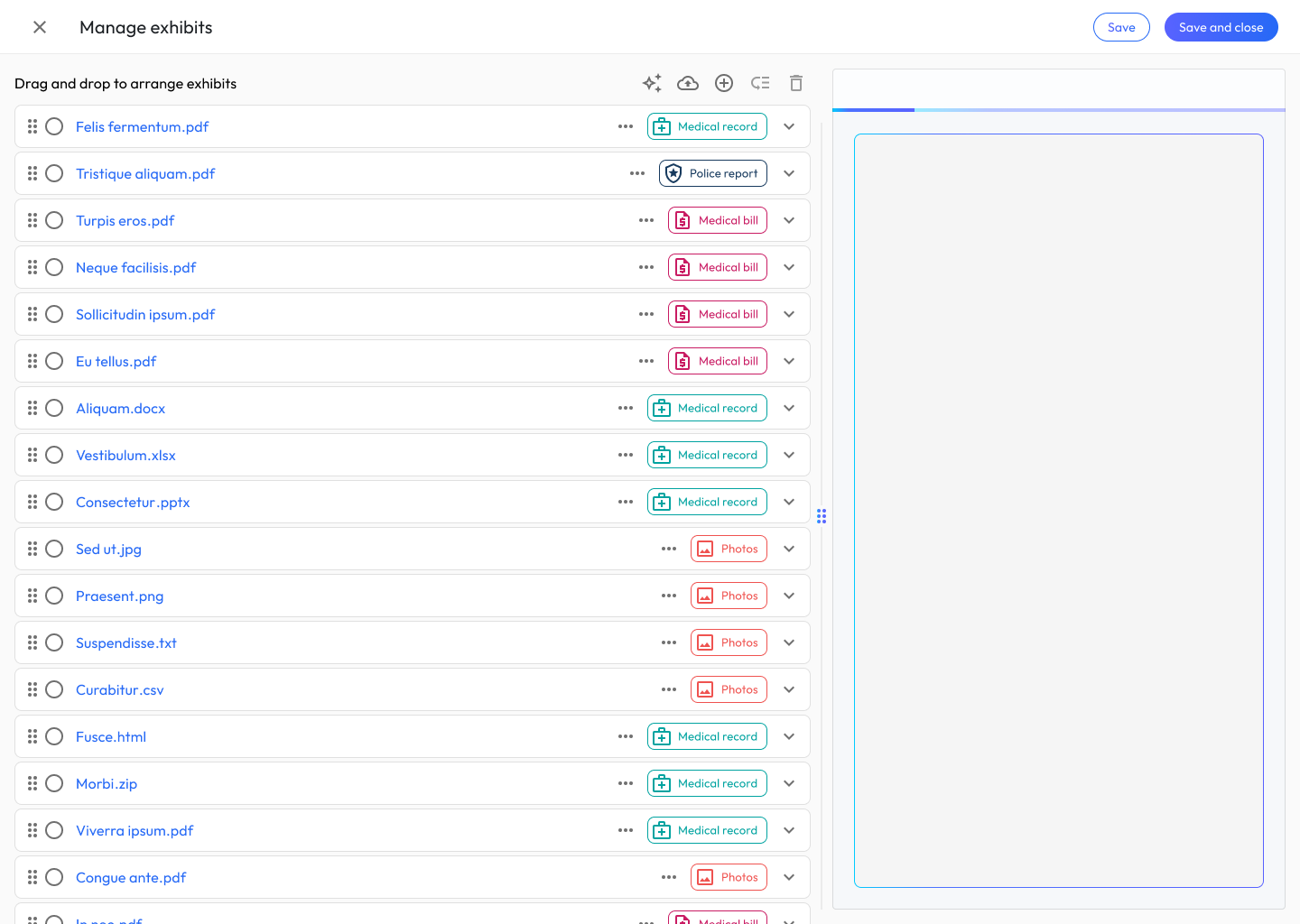
Attorneys or paralegals upload medical records, bills, and supporting documentation. The system ingests, parses, and extracts structured data: treatment dates, providers, diagnoses, procedures, imaging findings, and billing information.
Step 2: Flagged Treatment Review
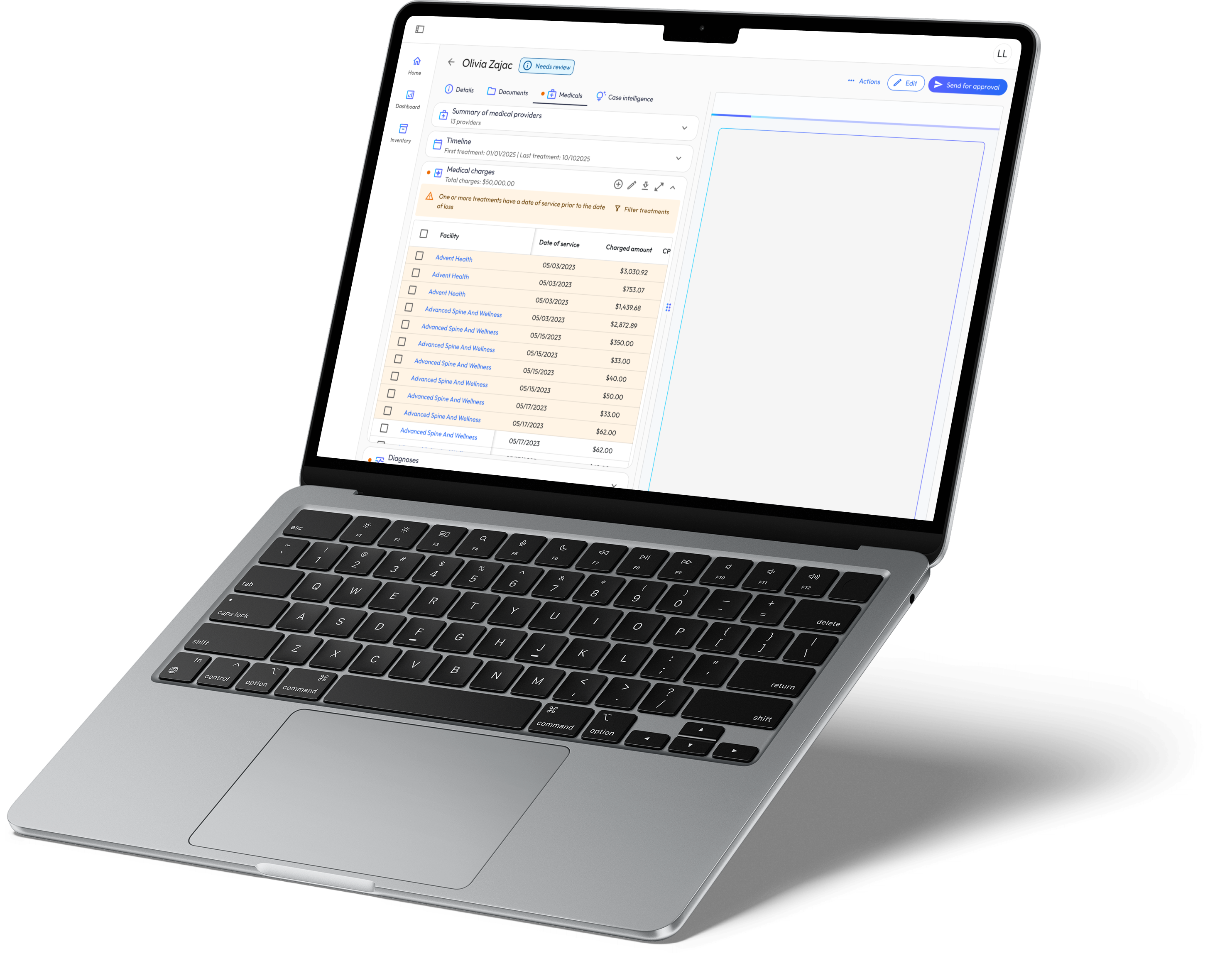
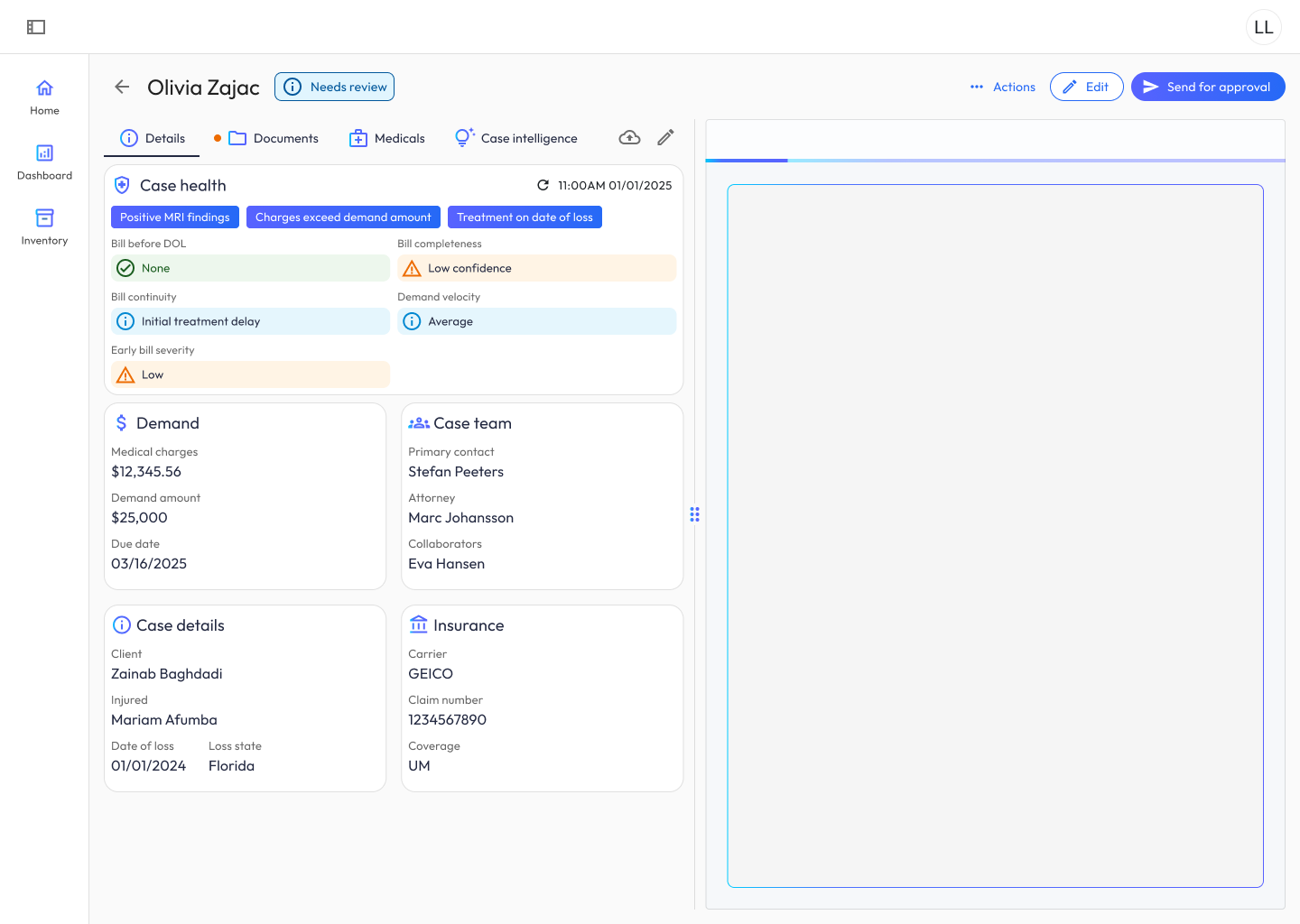
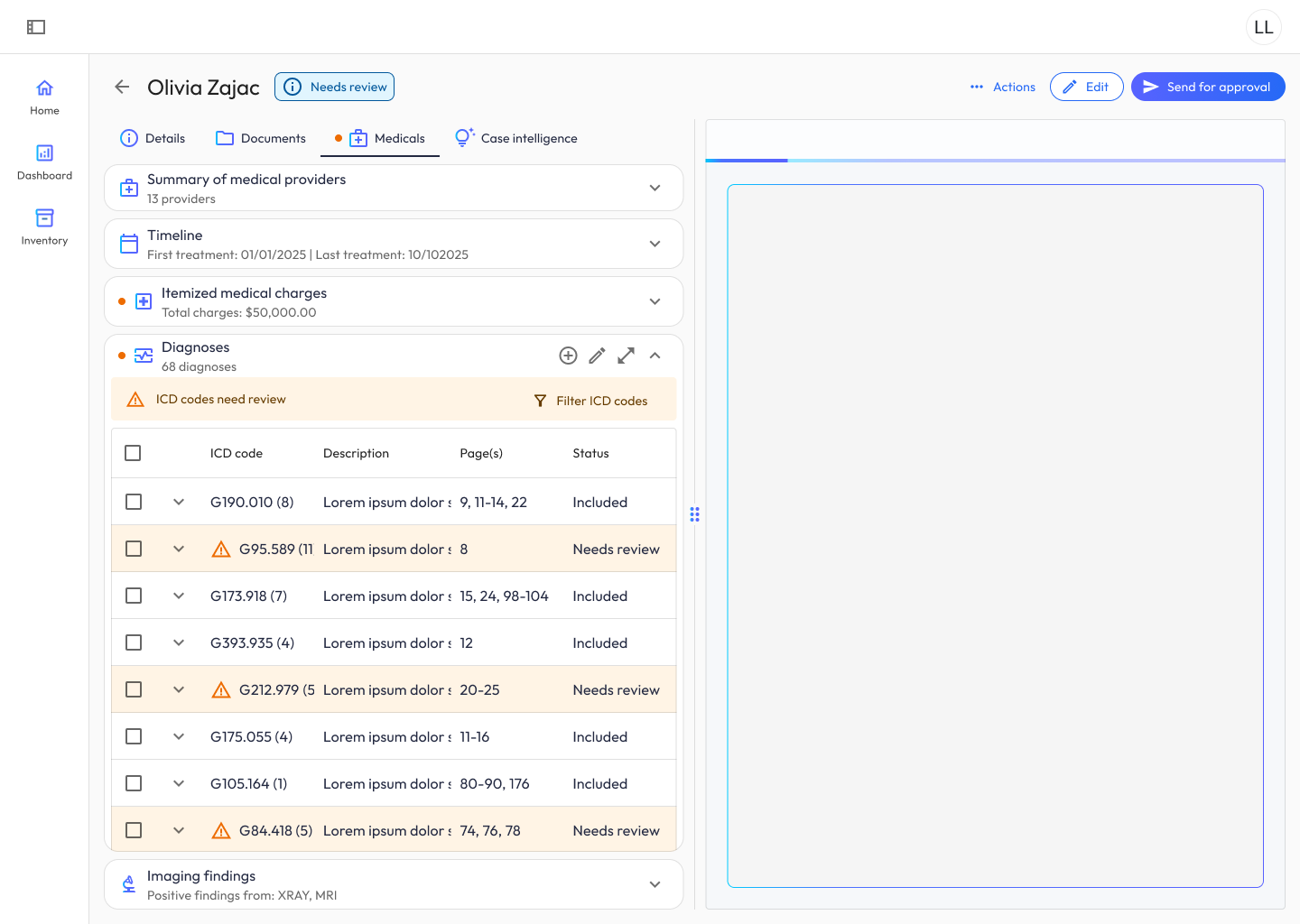
This is where the human-in-the-loop model earns its value. The system automatically flags treatments that need attorney review:
- Pre-existing conditions: treatments that predate the date of loss
- Temporal anomalies: gaps or overlaps in treatment timelines
- Billing discrepancies: missing bills, duplicate charges, or inconsistent amounts
- Causation questions: treatments that may not be clearly linked to the incident
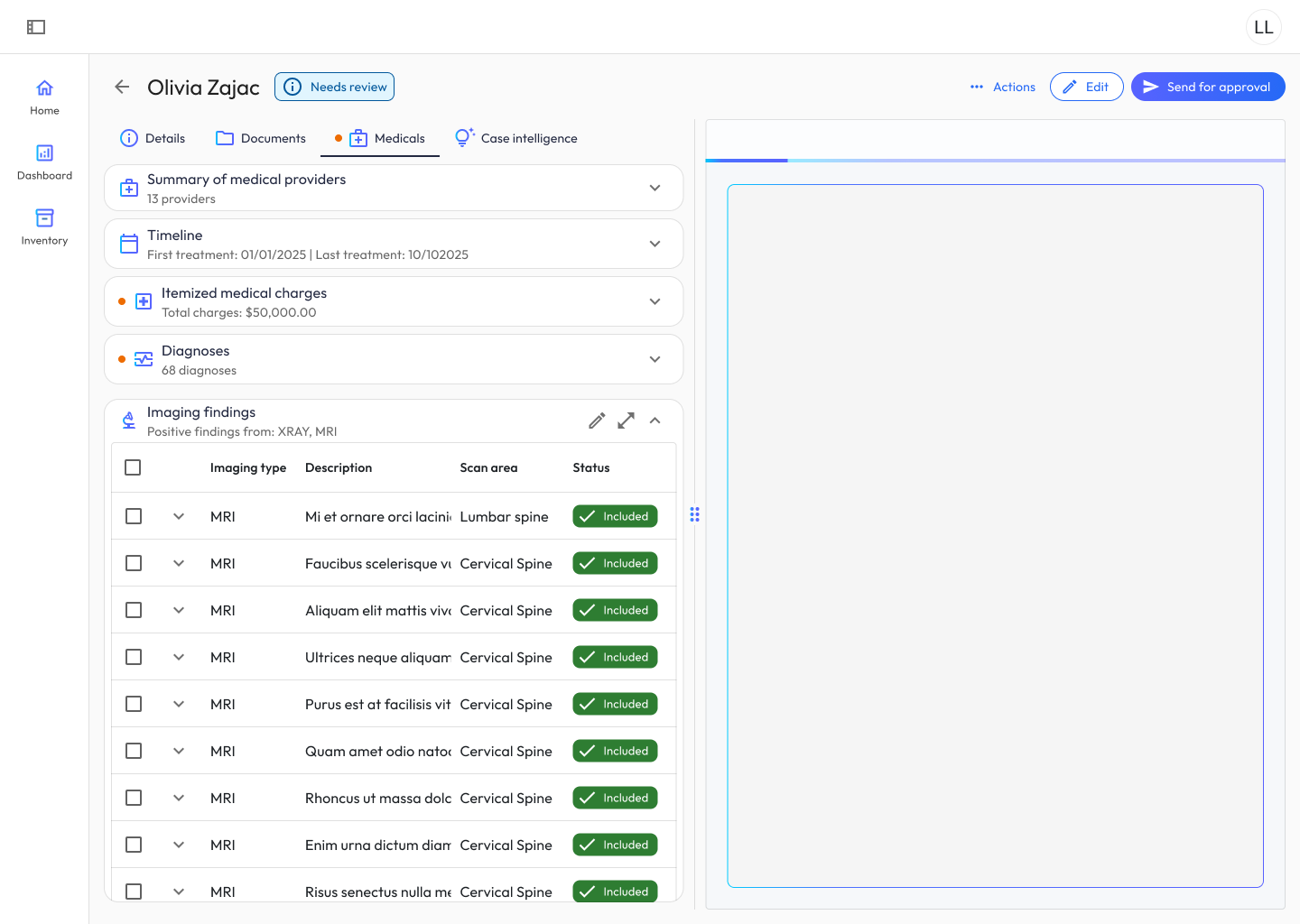
I designed the review interface around rapid decision-making. Attorneys see a filterable, sortable table of flagged items with contextual detail: enough information to make a judgment call without switching to the source document. This is recognition over recall applied to legal review: the interface carries the context, so the attorney’s memory doesn’t have to.
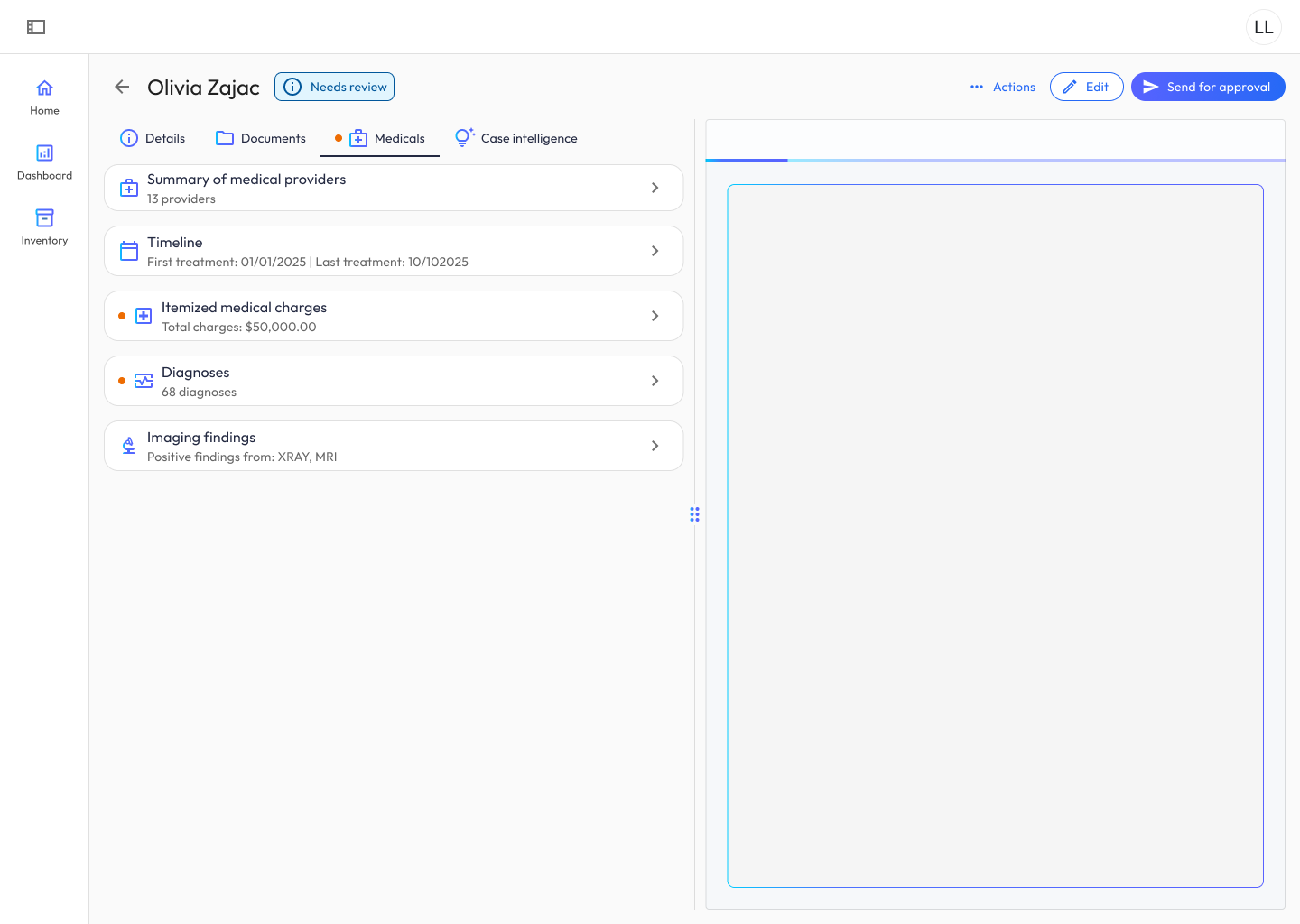
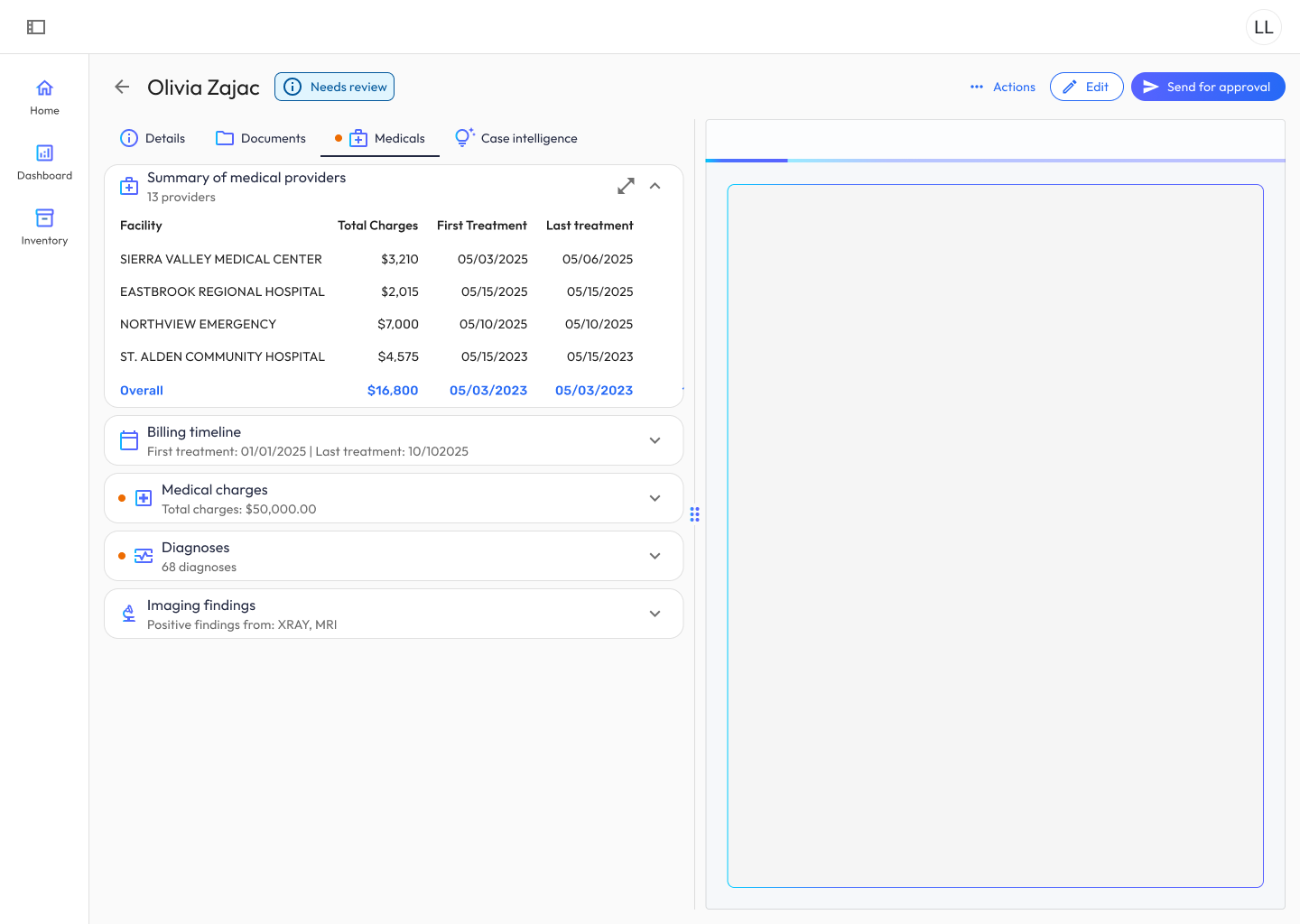
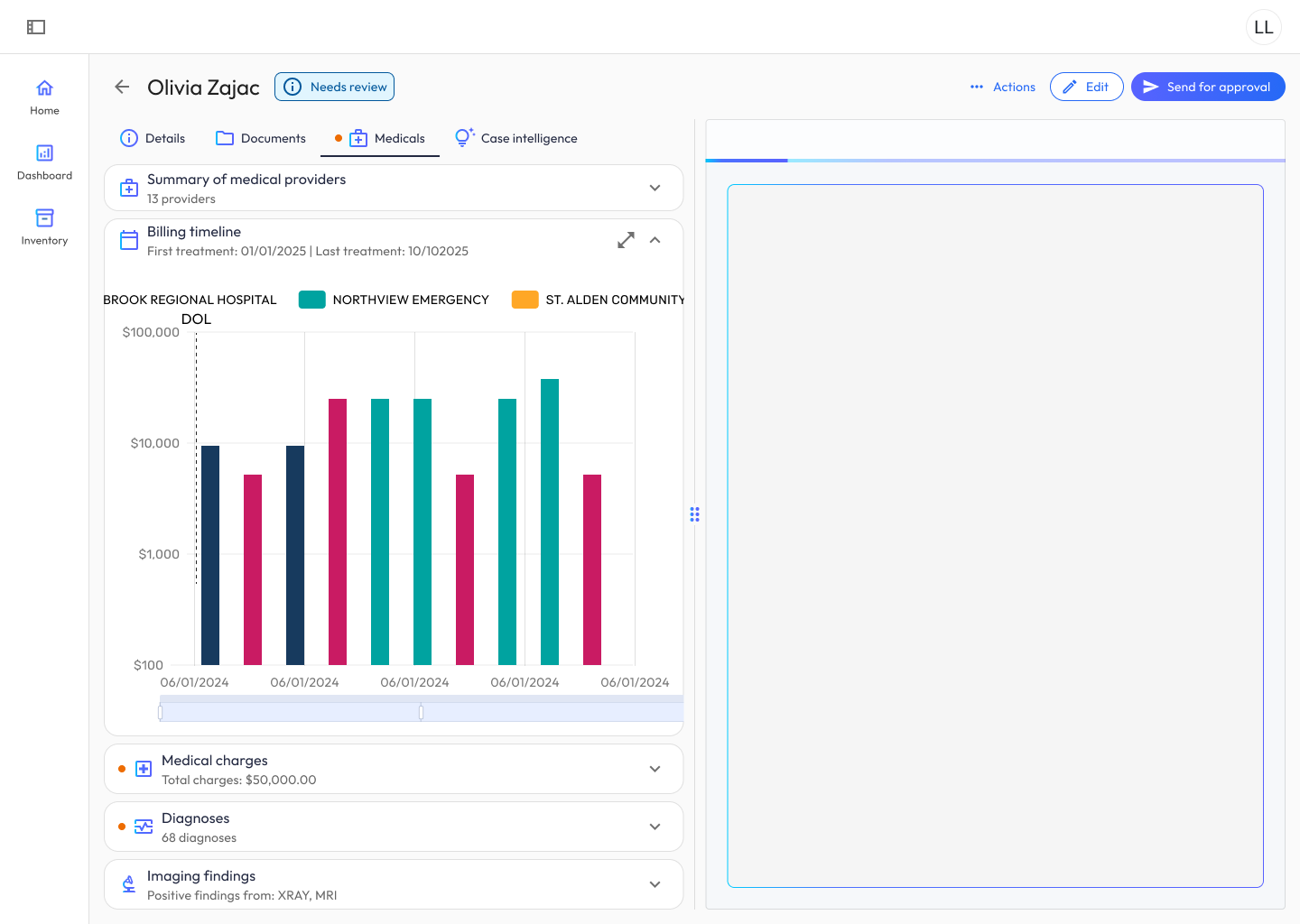
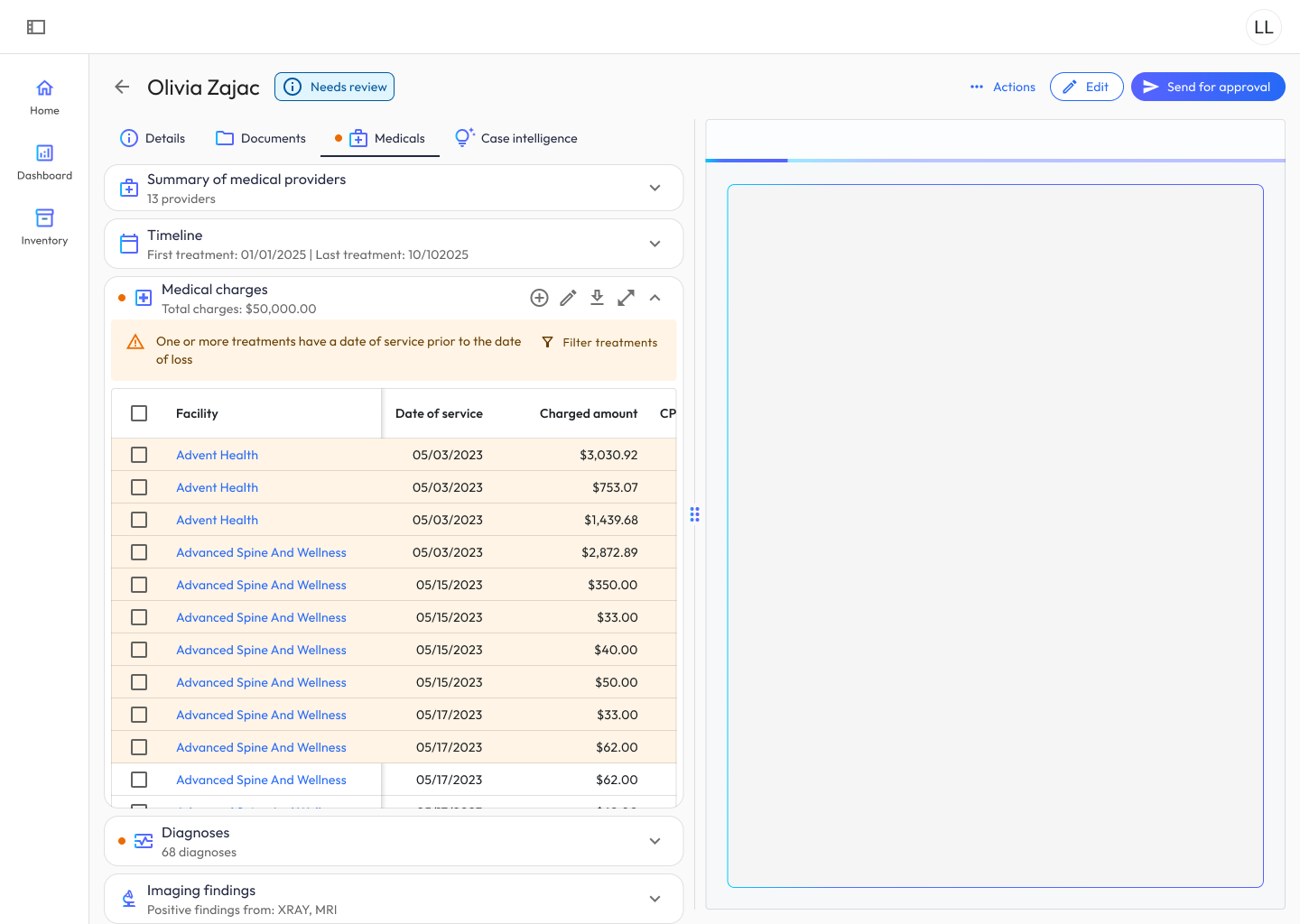
Design decisions that mattered here:
- Batch actions for common patterns. Attorneys often resolve multiple flags of the same type (e.g., dismissing all pre-DOL treatments for a specific provider). I added batch selection and resolution to reduce repetitive clicks.
- Filter persistence. Review sessions can span multiple sittings. Filters and scroll position persist across sessions so attorneys can pick up where they left off.
Step 3: Narrative Generation
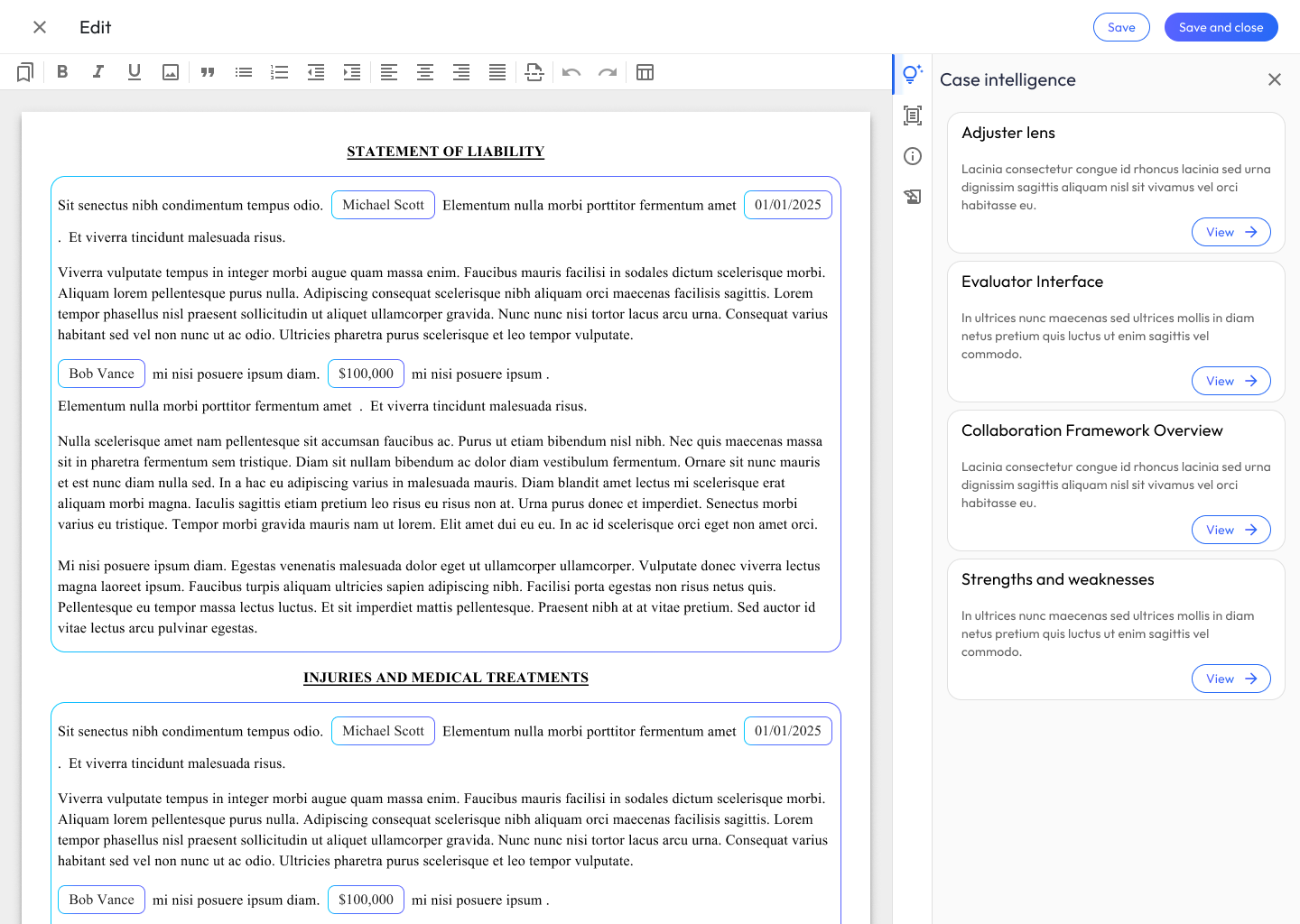
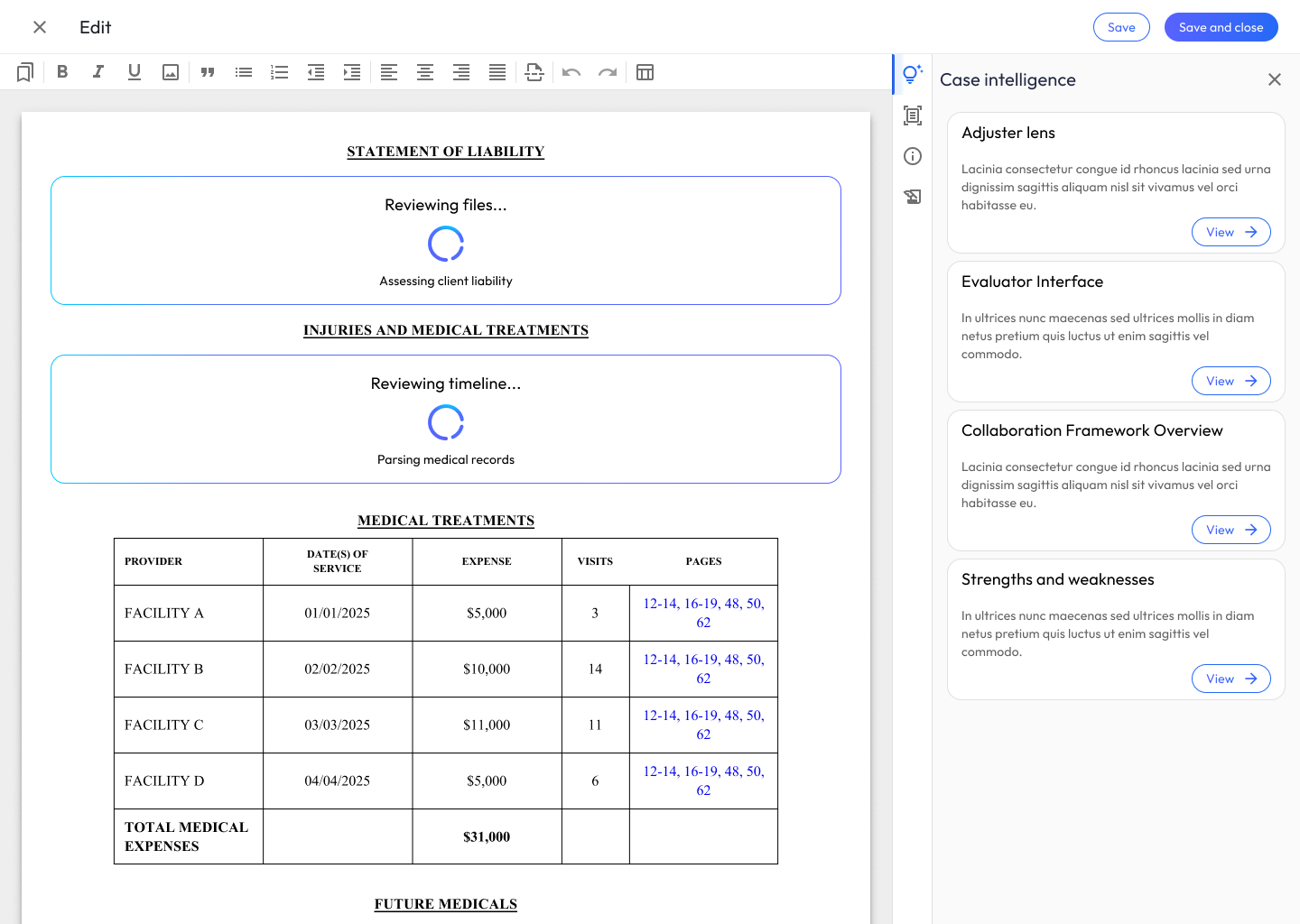
Using RAG against the processed medical records and resolved treatment data, the system generates narrative sections for the demand letter:
- Injury narrative: a synthesized account of the client’s injuries and treatment course
- Pain and suffering: a description of the impact on daily life, informed by treatment patterns and diagnoses
- Loss of income: a financial impact narrative tied to documented treatment dates and work restrictions
- Imaging findings: summaries of diagnostic imaging (X-rays, MRIs, CT scans) and their clinical significance
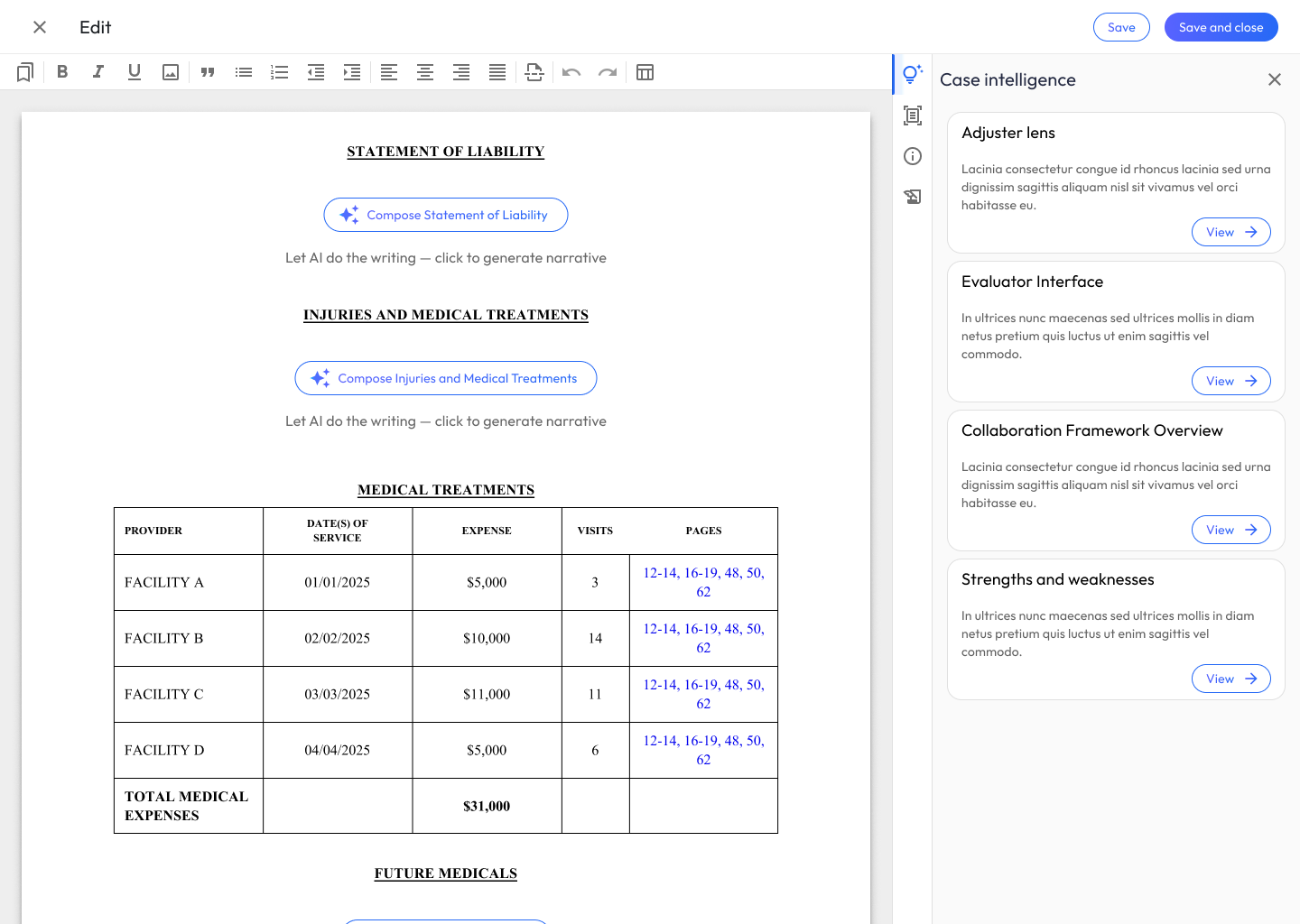
Step 4: Narrative Review & Refinement
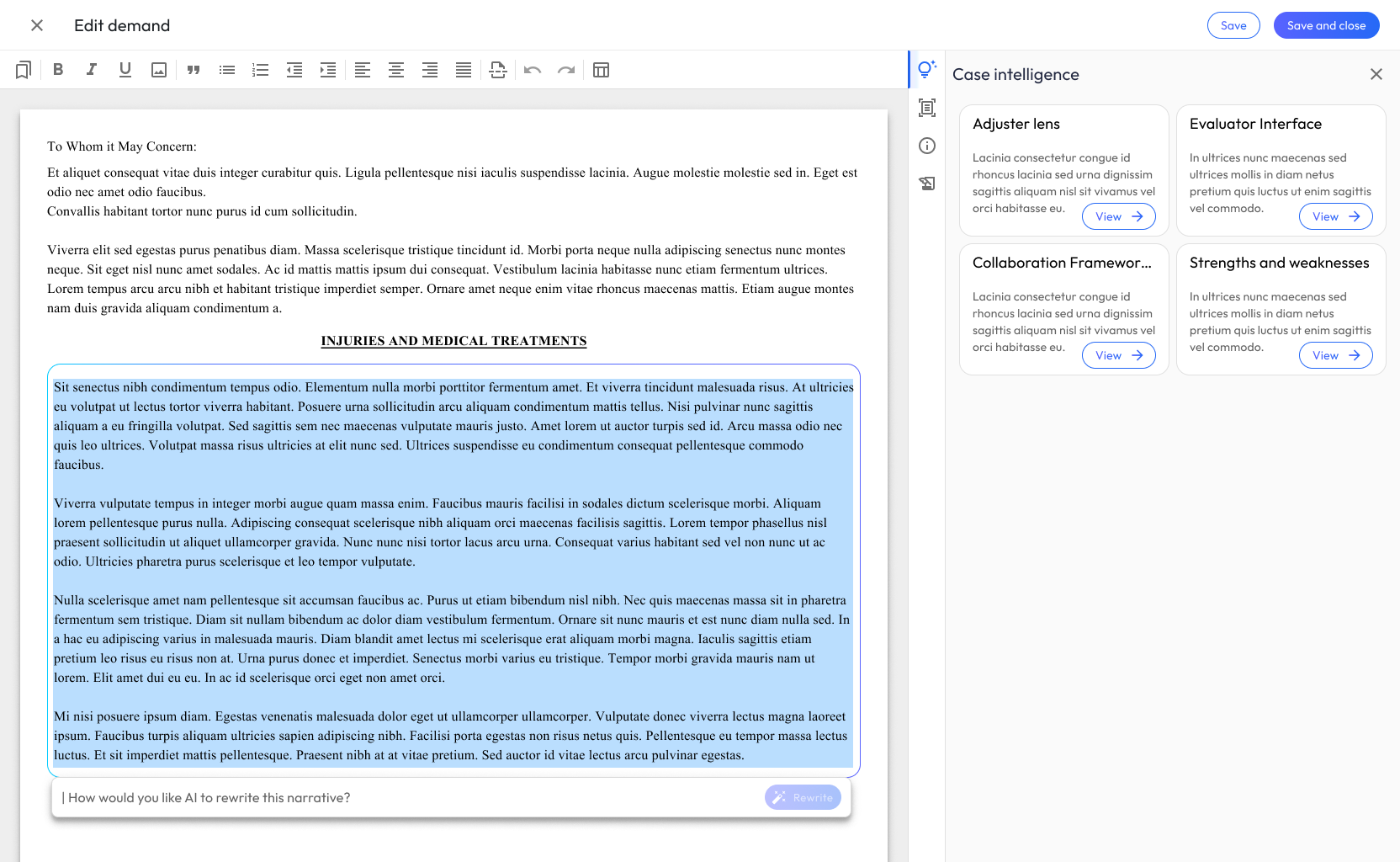
This is the most interaction-rich part of the workflow, and where the most design iteration happened. Attorneys need to review AI-generated prose with the same critical eye they’d apply to a junior associate’s draft.
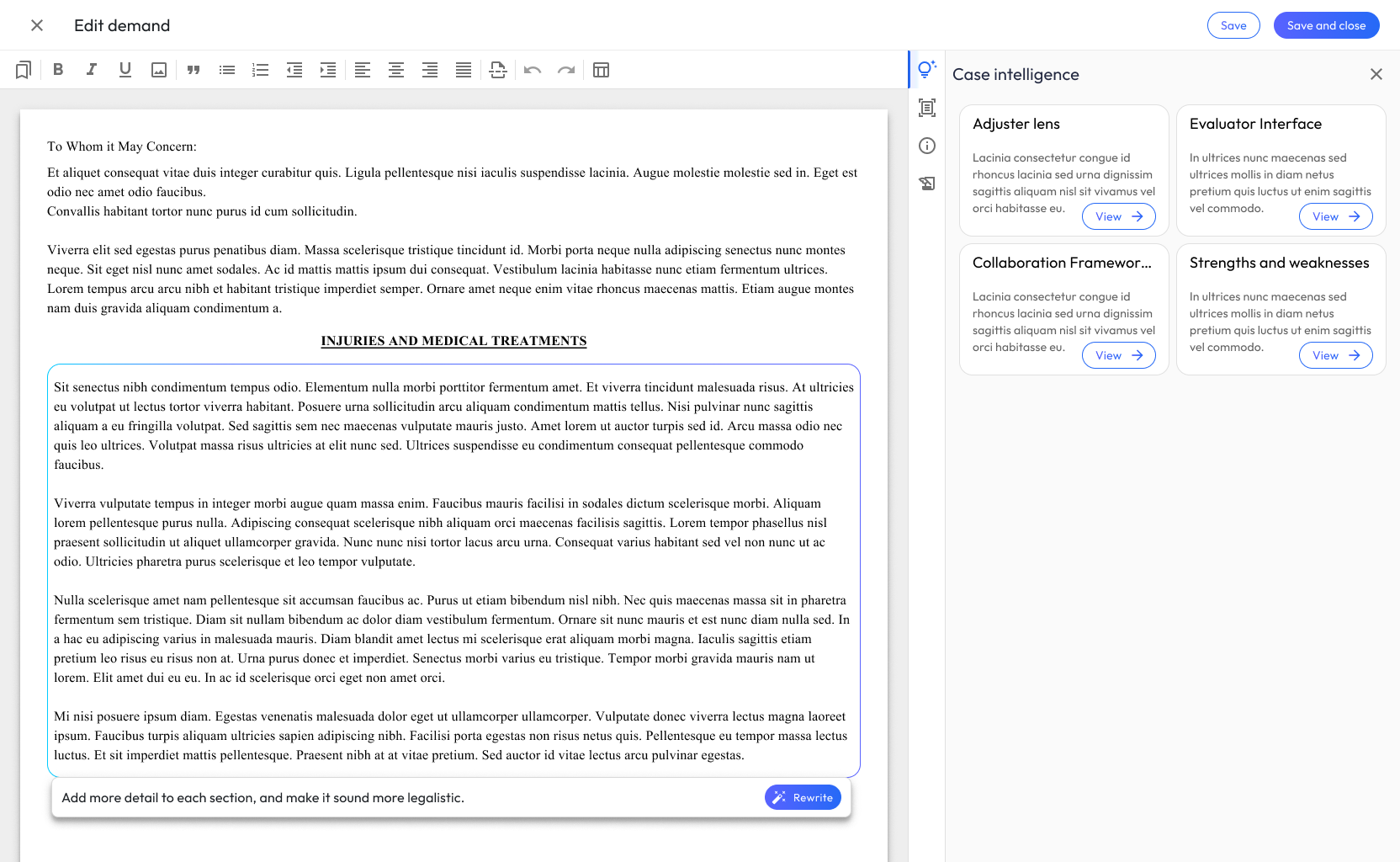
I designed the review experience around three modes of interaction:
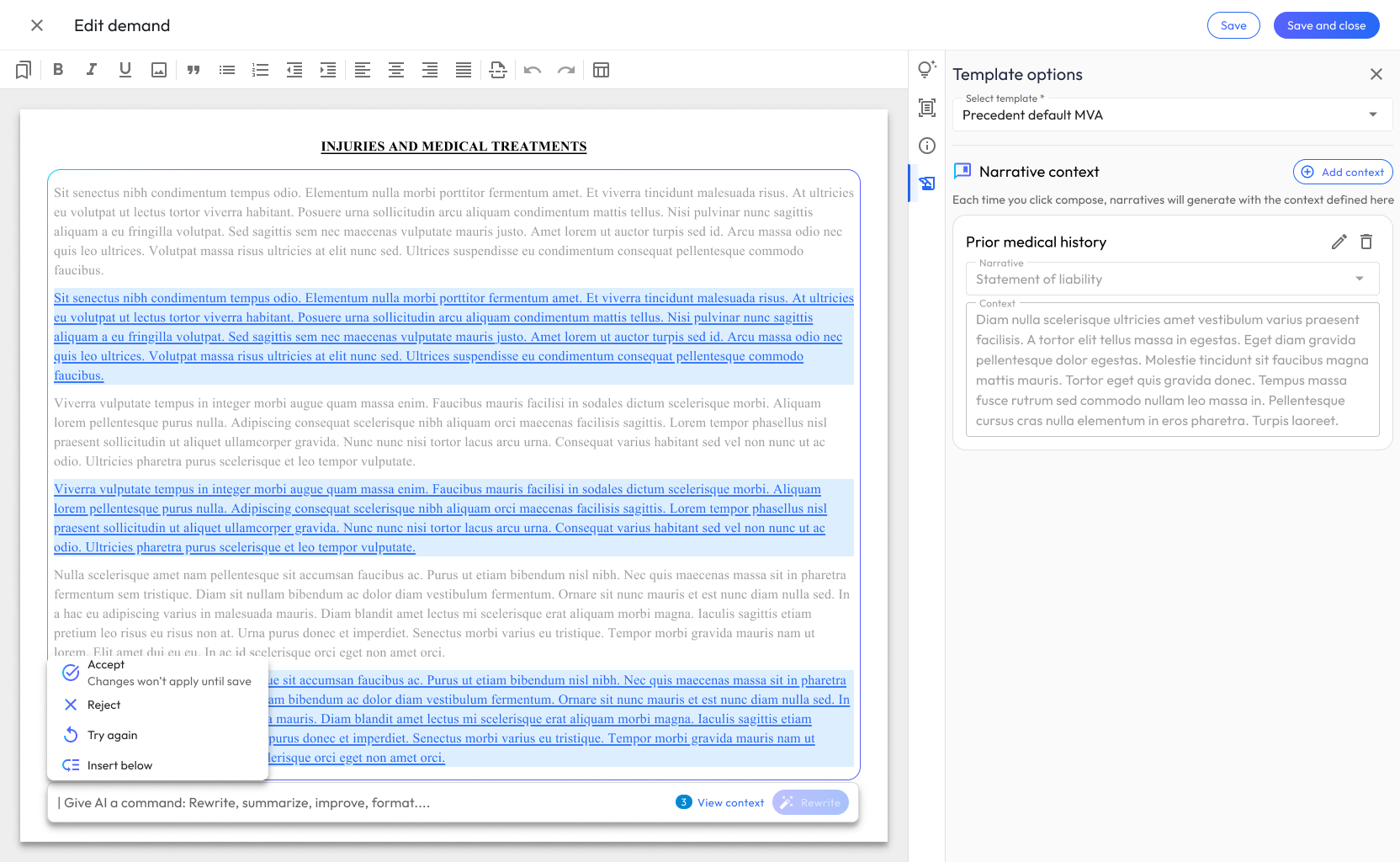
Read and accept. For narratives that are accurate and well-written, a simple approval flow. No friction added where none is needed.
Direct edit. For targeted changes (a word choice, a factual correction, a tone adjustment), attorneys can edit the narrative text directly in a rich text editor.
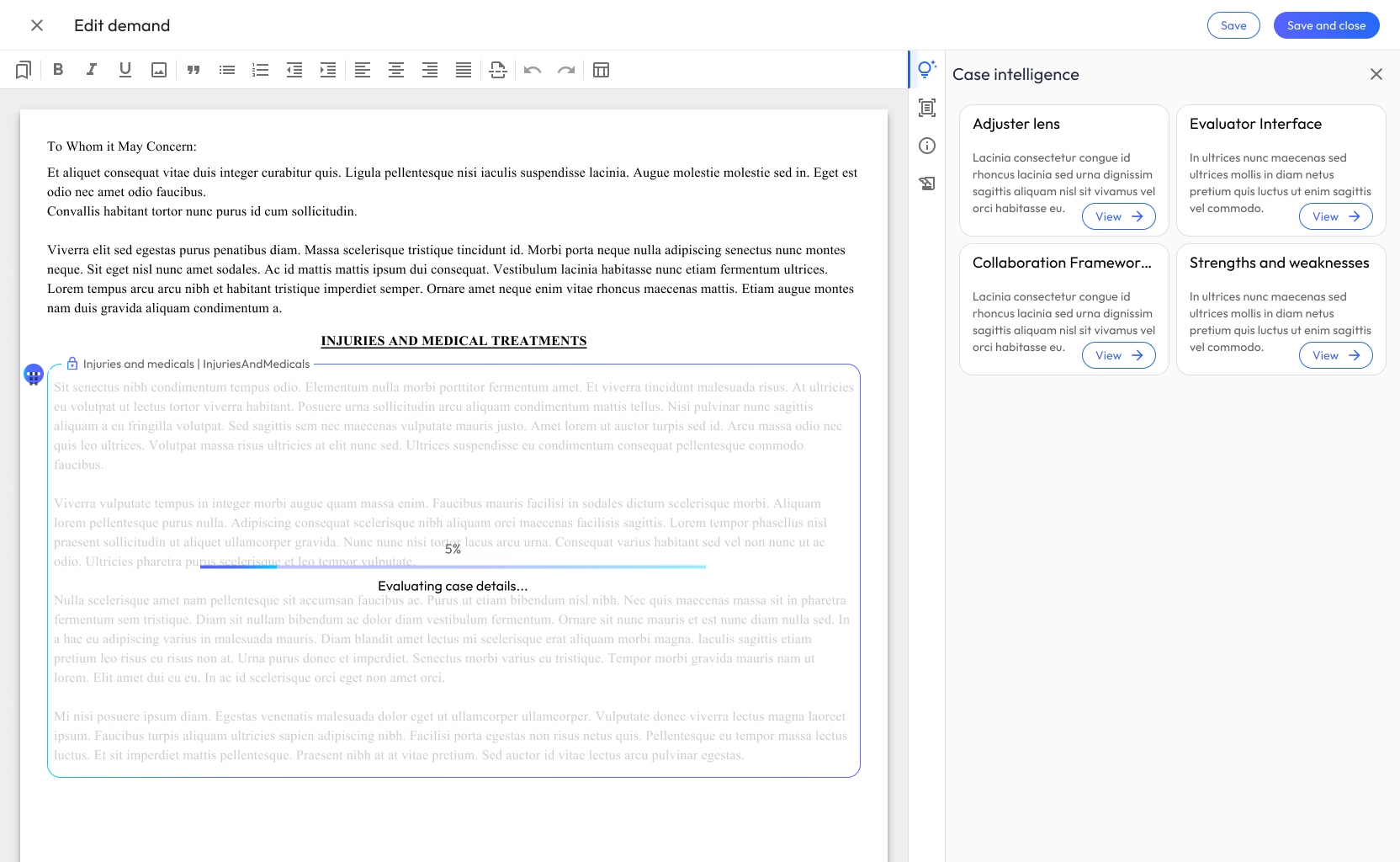
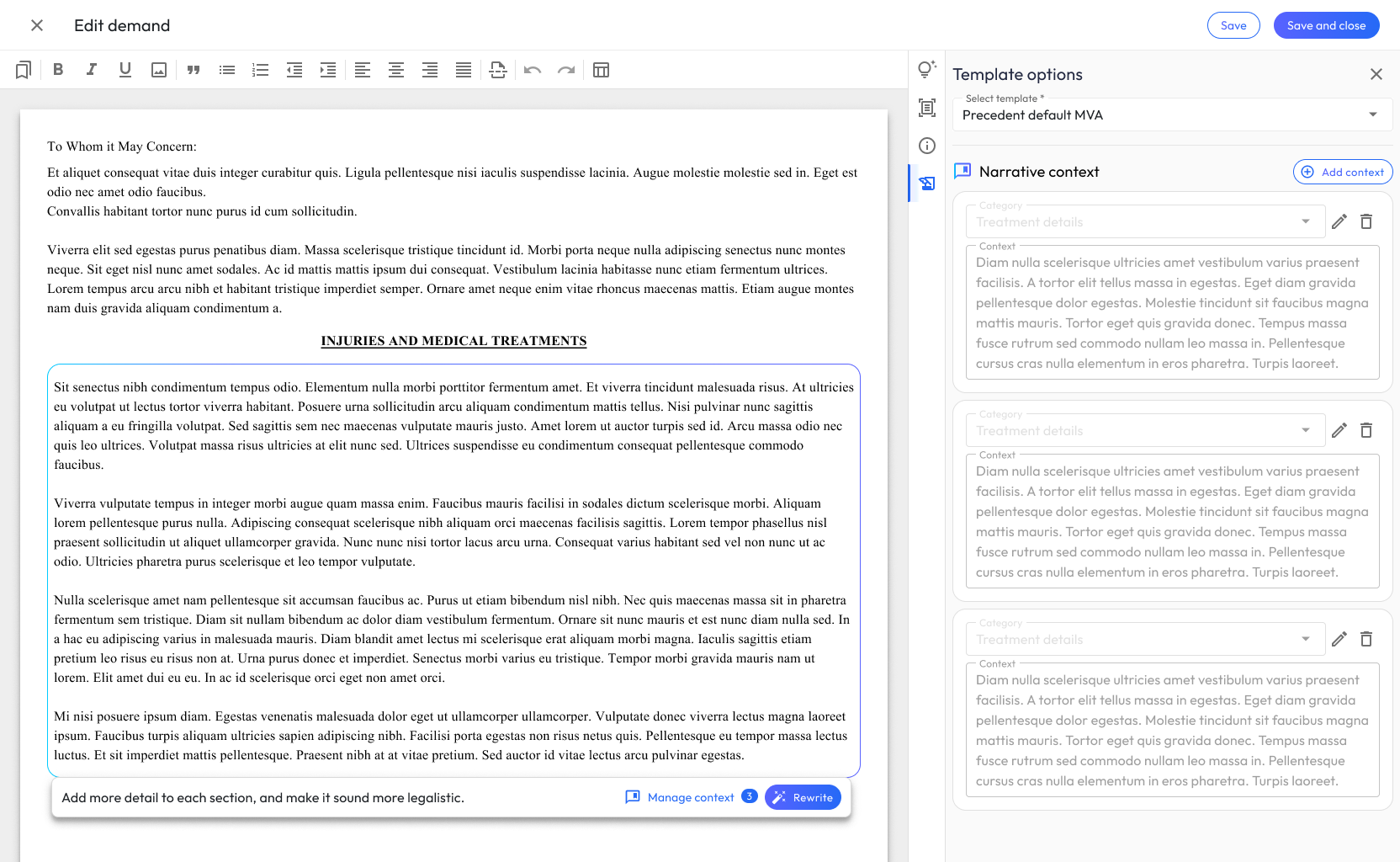
Instruct and regenerate. For narratives that need more substantial rework, attorneys can provide natural language instructions (e.g., “Emphasize the chronic nature of the lumbar injury” or “Remove references to the ER visit on 3/15”) and the system regenerates the section accordingly.
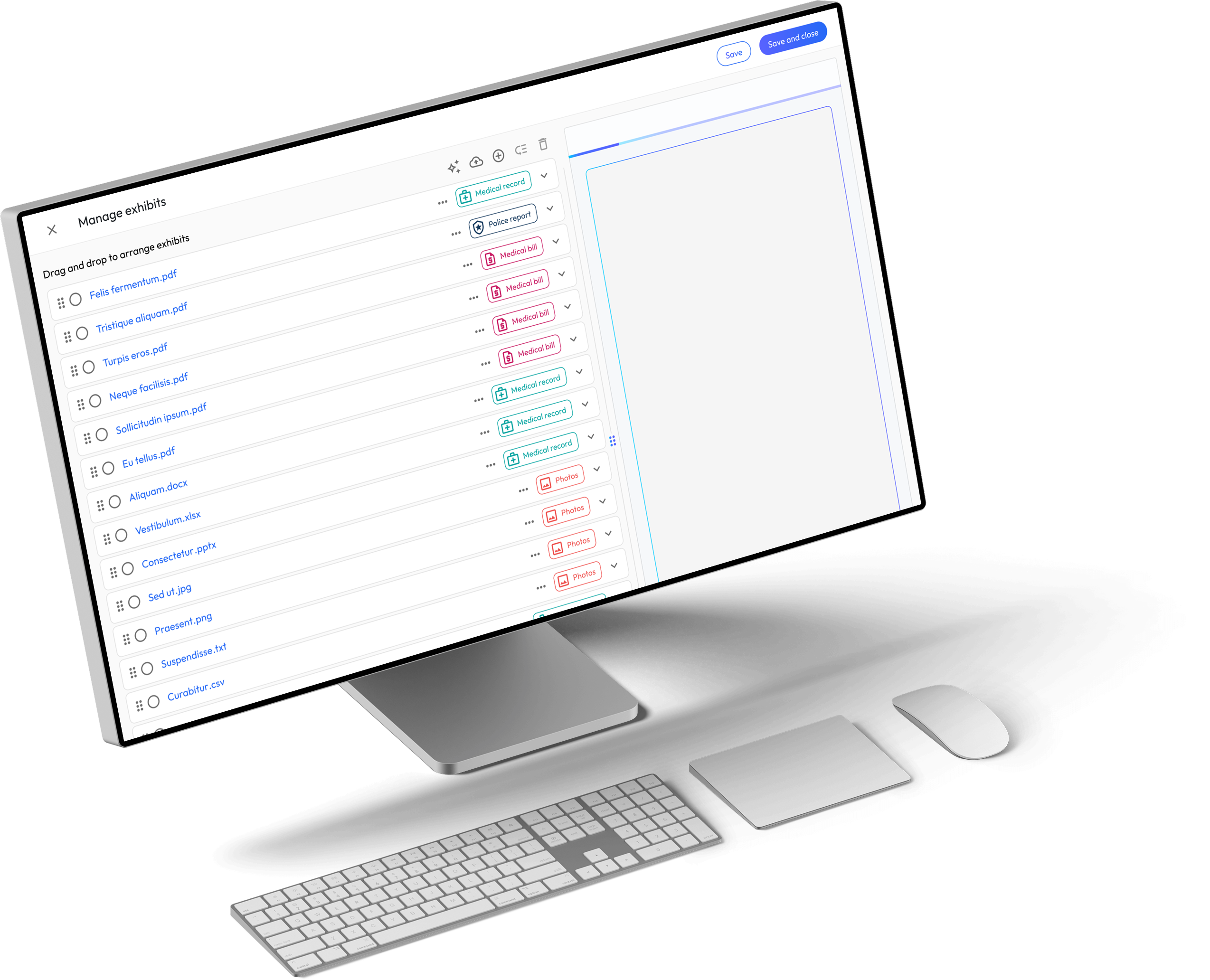
During review, attorneys can also pull up the source medical records alongside the generated narrative, a side-by-side view that lets them verify claims against evidence without leaving the page.
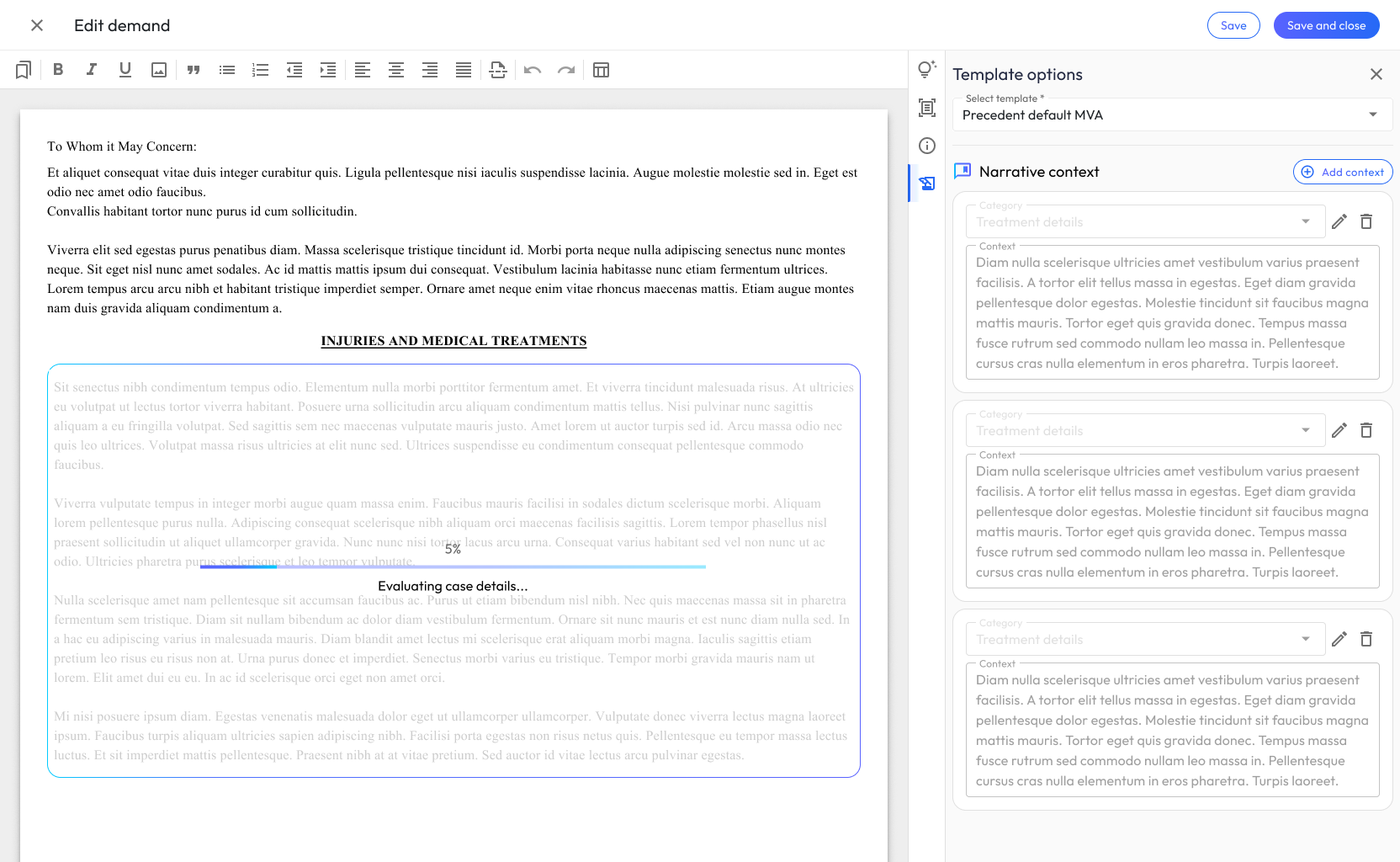
Step 5: Narrative Context Management
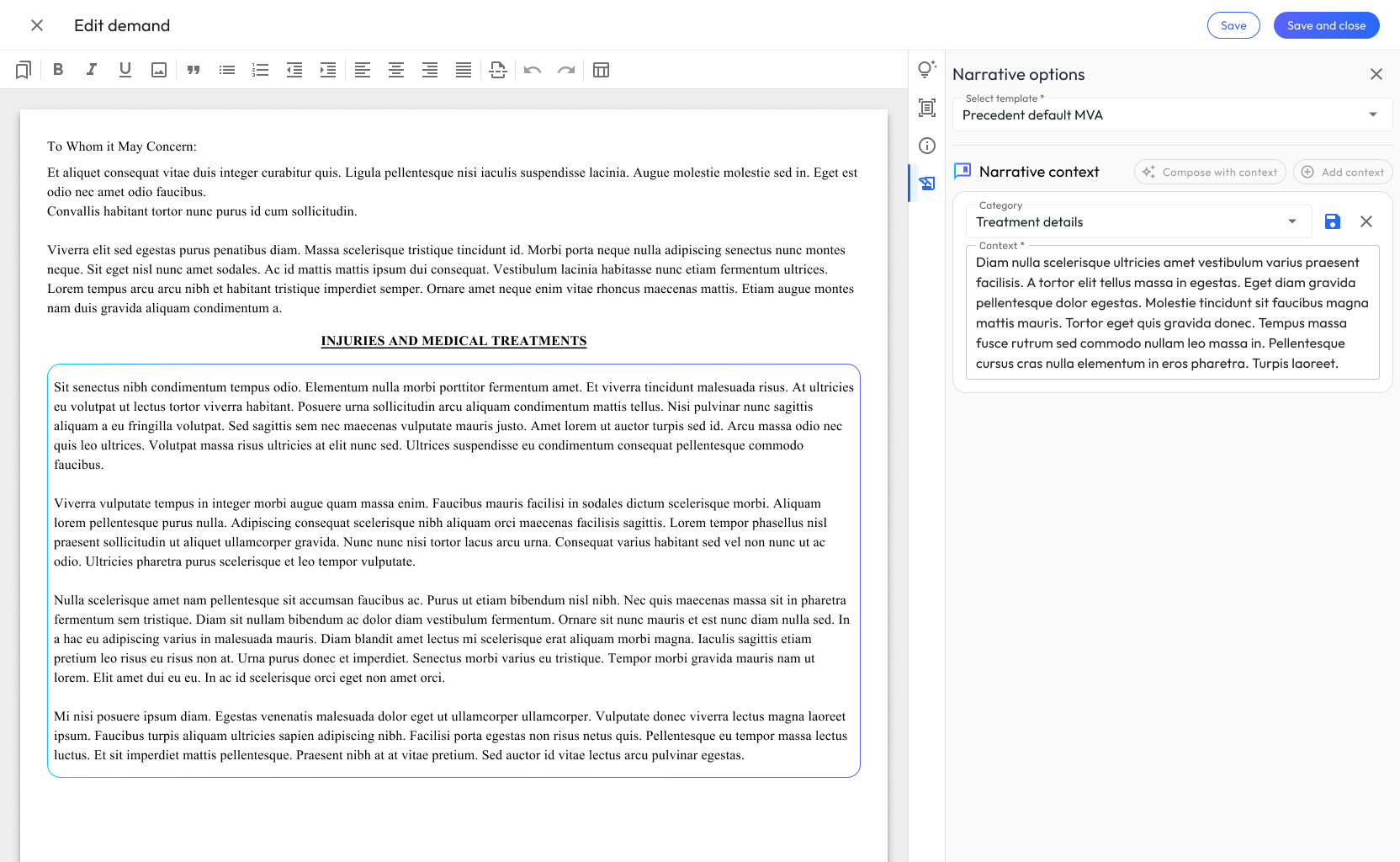
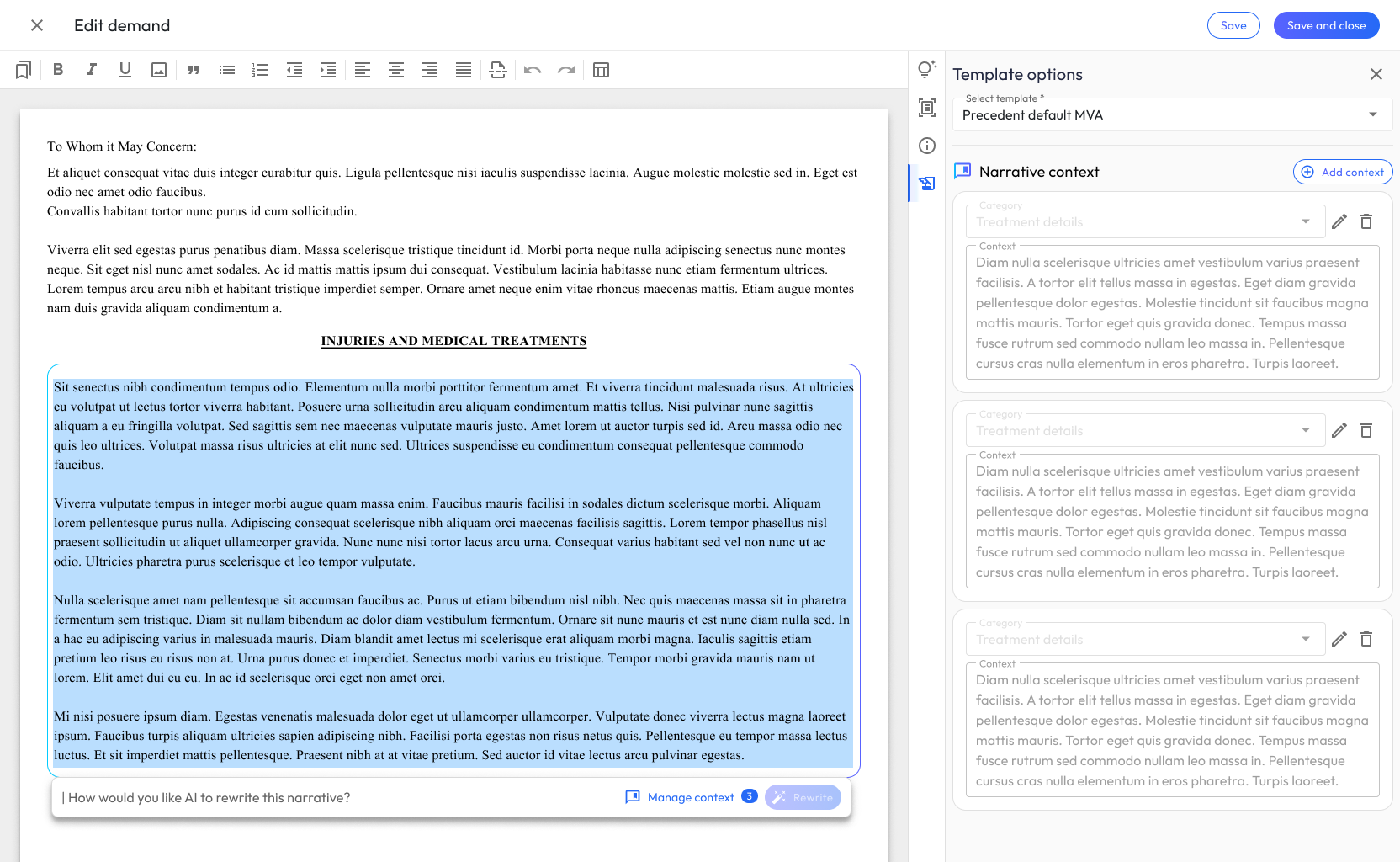
For complex cases, attorneys may need to adjust the context the AI uses for generation: adding case-specific details, excluding certain records, or emphasizing particular aspects of the injury.
I designed a context management interface that gives attorneys control over the RAG pipeline’s inputs without requiring them to understand the underlying technology. They work with familiar legal concepts (providers, date ranges, document types) rather than technical abstractions.
Key Decisions & Pivot Points
Killing the modal. Our first review interface opened each flag in a modal, a familiar pattern that tested terribly. In sessions with 3 attorneys, participants working queues of 40+ flags repeatedly lost their place, and all 3 abandoned the review mid-task. In a design review with engineering, we weighed patching the modal (breadcrumbs, a queue-position indicator) against a structural change. We chose structure so the queue never leaves the screen. In follow-up testing, all attorneys and paralegals completed the review tasks. The modal wasn’t wrong in general; it was wrong for high-volume triage, and it took real users to teach us the difference.
Section-level granularity. Early designs generated the full demand letter as a single block, a smaller lift for the pipeline, and the wrong call. Reviewing a monolithic draft meant one problem anywhere forced regenerating everything, and attorneys couldn’t tie any given paragraph back to its evidence. I advocated for section-level generation and review, which gives attorneys fine-grained control and makes regeneration fast and low-risk. That change is what made the accept / edit / regenerate model workable at all.
Collaboration
The pod met in weekly working sessions with all three groups (design, engineering, and the attorney advisors) in the same room. That structure was a deliberate choice, not a default: the product’s core question (where should human judgment live?) is simultaneously an ML question (what can we extract, and with what confidence?), a legal question (what would an attorney never delegate?), and a design question (what does the review surface make easy?). Answering it in sequence, research handed to design handed to engineering, would have produced a system where the flags didn’t match the attorneys’ actual anxieties. Answering it together, weekly, meant the confidence thresholds ML engineering tuned and the review interface I designed evolved as one system. My front-end contributions served the same purpose from the other side: building the filterable tables and review components myself meant design intent survived contact with production code.
Outcomes
Business Impact
- Reduced time on desk from 9 to 4 days, measured across over 500 cases in the 3 months post-launch against the firm’s prior-year baseline. Faster delivery meant faster resolutions for clients.
- Cut billing reconciliation from several hours to under 30 minutes per case, based on operational reporting of time in the “Needs review” status before and after rollout.
- Increased paralegal caseload by 15% (50 to 57 average active cases), allowing the firm to serve more clients without proportionally increasing headcount.
User Impact
- Attorneys spend their time on judgment calls (evaluating evidence, shaping narrative strategy, and making legal arguments) rather than on data entry and document assembly
- Paralegals are freed from the most tedious extraction work, able to focus on case management and client communication
- Clients benefit from faster resolutions and more thorough, accurate demand letters
Design Impact
- Established a human-in-the-loop interaction model that became the foundation for subsequent Precedent products
- Proved that AI-assisted legal workflows can maintain the professional rigor attorneys require while delivering meaningful efficiency gains
- Demonstrated that the key to AI adoption in high-stakes domains isn’t more automation; it’s better-designed decision points
What I’d Do Differently
Given another pass, I would give users the ability to configure and control what happens when the system faced uncertainty, then track how that impacted PMF scores and even delivery time. It’s smart to add friction that prevents users from making costly errors, but configuring decision selection and action implementation, core aspects of trust in automation from a human factors perspective, would have been an interesting feature to deploy.